Nº 30

This week at Roark

July 7 to 13, 2026

This week we shipped the biggest update to Roark since we started: a ground-up rebuild of the platform, a rebuilt Simulations experience, and four new capabilities built on top of it. Everything below is live in production now.


01

✨ The New Roark Platform

We rebuilt the entire platform from the ground up around how you actually use it. Metrics are the center of gravity now, the AI agent is one keystroke away from any page, and the navigation, layout, and defaults all reflect a year of customer feedback.
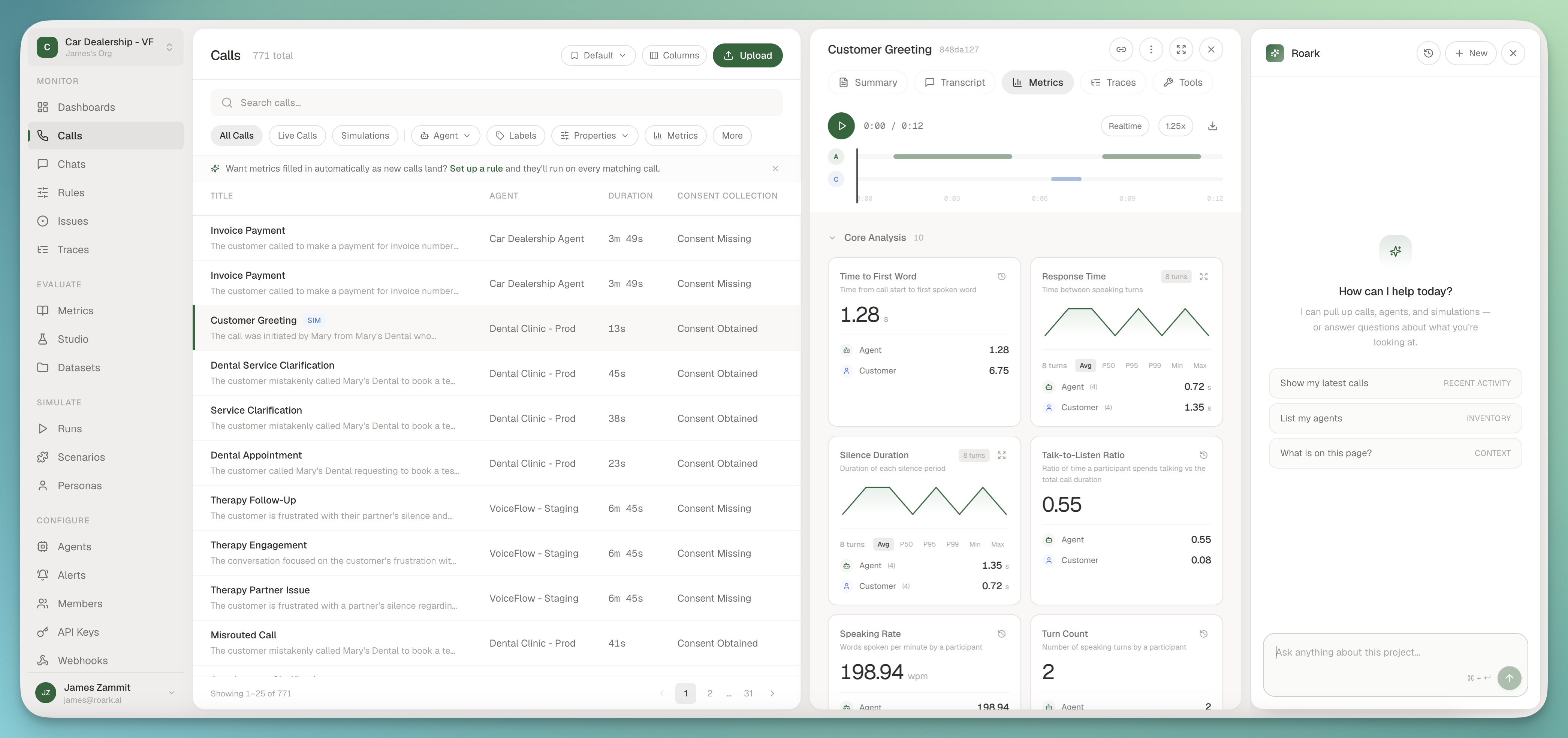
The new Roark platform dashboard

What's different:

  • Simulations, rebuilt: a ground-up rebuild of how you test agents, now driven by Customer Flows with improv or scripted callers and ready-made templates (full details below)
  • Metric-first: every list, view, and detail page leads with the metrics that matter to you, not raw data you have to interpret yourself
  • Agent woven in: ⌘K opens an assistant that knows your project, your data, and your APIs
  • Saved views travel with you: column layouts, filters, and sorts persist per user, with inline Save and Discard when you make edits
  • Calmer, faster surfaces: switching projects no longer reloads the world, and the chrome got out of the way

This is the foundation we're building on for the rest of the year. Everything below shipped on top of it.
02

🎭 Simulations, Rebuilt

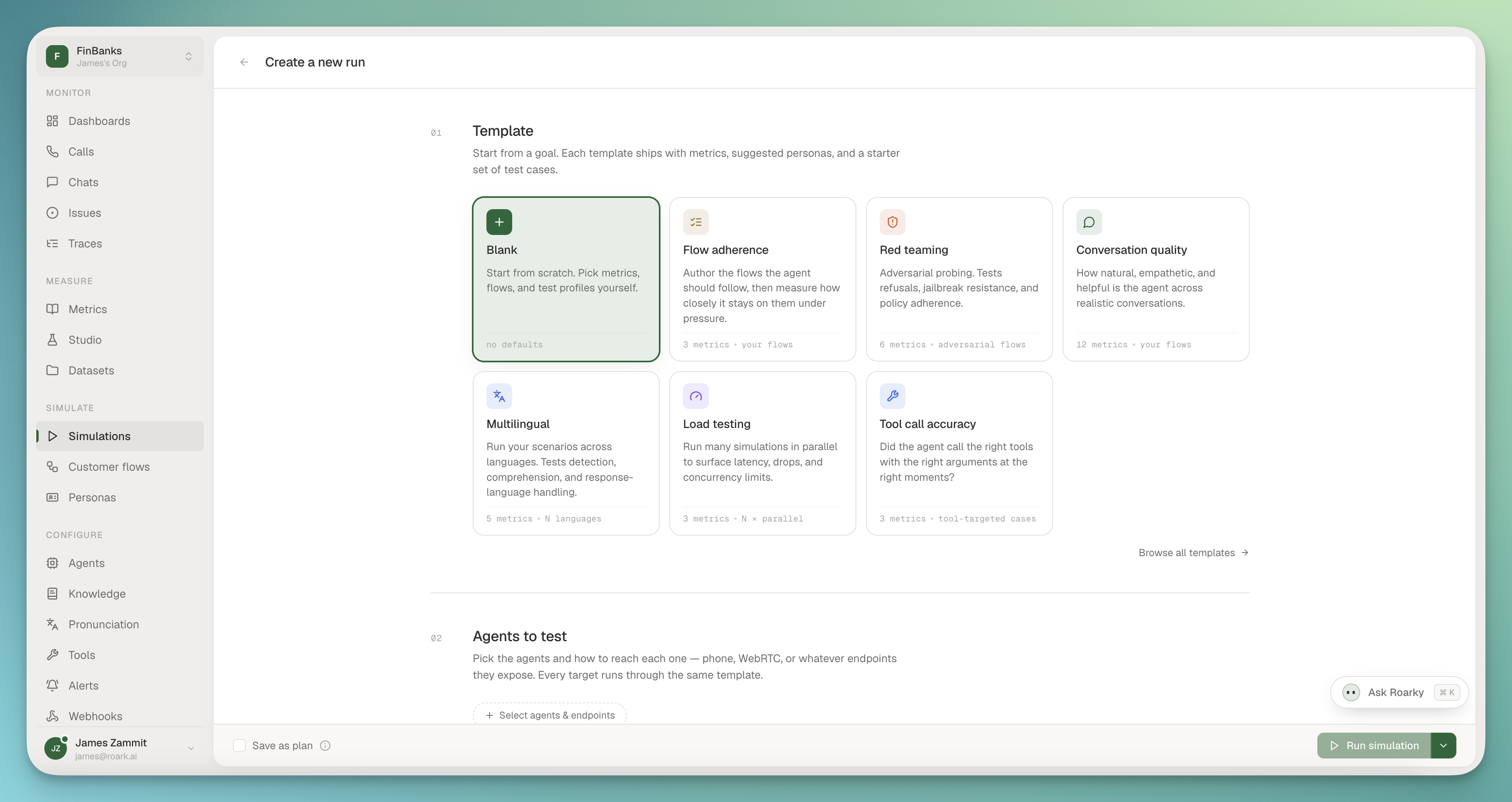
We rebuilt Simulations from the ground up for the new platform. Testing your agents against realistic callers is faster to set up, clearer to reason about, and now built around a new idea: Customer Flows.

Starting a simulation run from a template, with Flow adherence, Red teaming, and Conversation quality presets

What's new:

  • Customer Flows replace Scenarios: every simulated caller now runs on a Flow, the direct successor to Scenarios from the old app, with a cleaner model for how a call should unfold
  • Improv or Scripted: run an Improv flow where the simulated customer reacts naturally to whatever your agent says, or a Scripted flow where the call follows the exact turns you lay out. Choose per flow depending on whether you're stress-testing open-ended behavior or checking a known path
  • Templates to start fast: kick off from a library of ready-made flow templates instead of a blank page, so a useful simulation is minutes away

If you ran Scenarios in the old app, Customer Flows are where they live now, with the improv and scripted split layered on top.


03

🤖 In-app AI Assistant

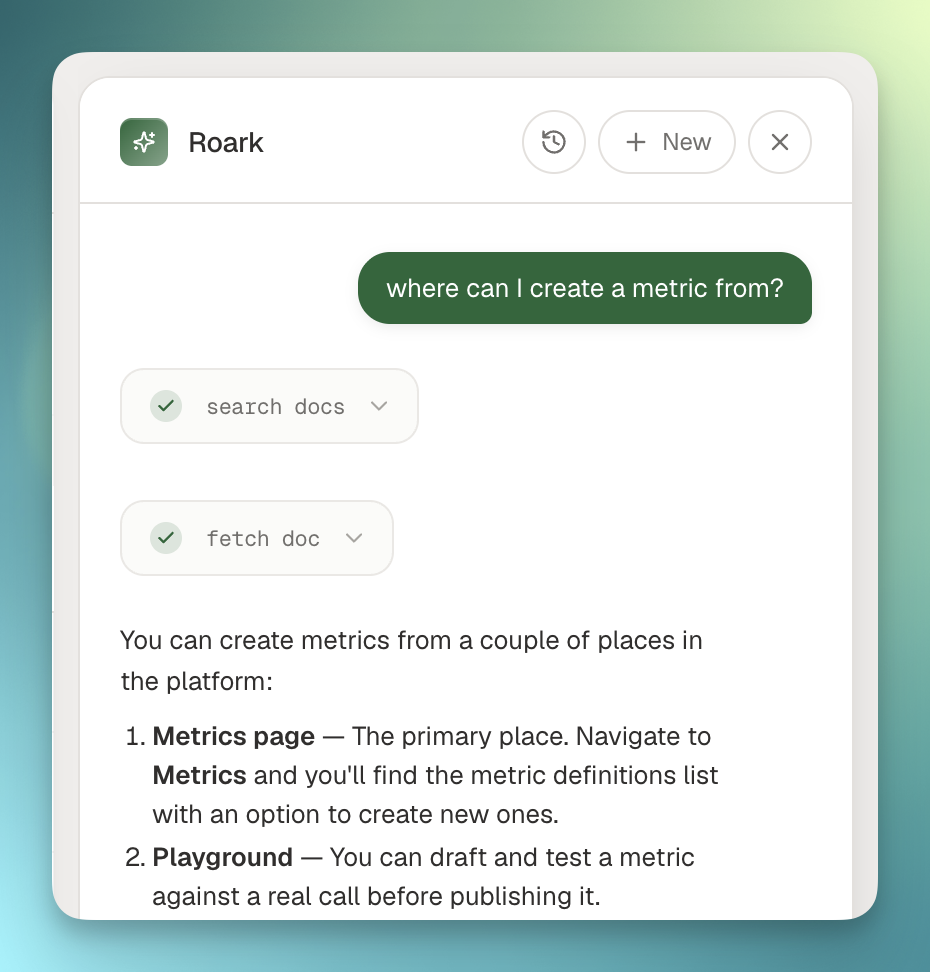
You can now ask questions directly inside the platform and get answers pulled from your own data, without leaving the page you're on.

In-app AI assistant pinned to the right rail

What you can do:

  • Ask in plain English: "show me yesterday's failed calls" or "list my datasets" works out of the box, with the assistant calling the right API behind the scenes
  • Pinned to the right rail: hit ⌘K from anywhere, drag the edge to resize, the page stays visible and clickable underneath
  • Conversation history: every chat is saved, click History to jump back into a past thread
  • Streaming responses: tool calls and answers stream live so you see progress in real time

Read-only for now (lists, lookups, filters). Write actions land next.


04

📚 Knowledge Bases

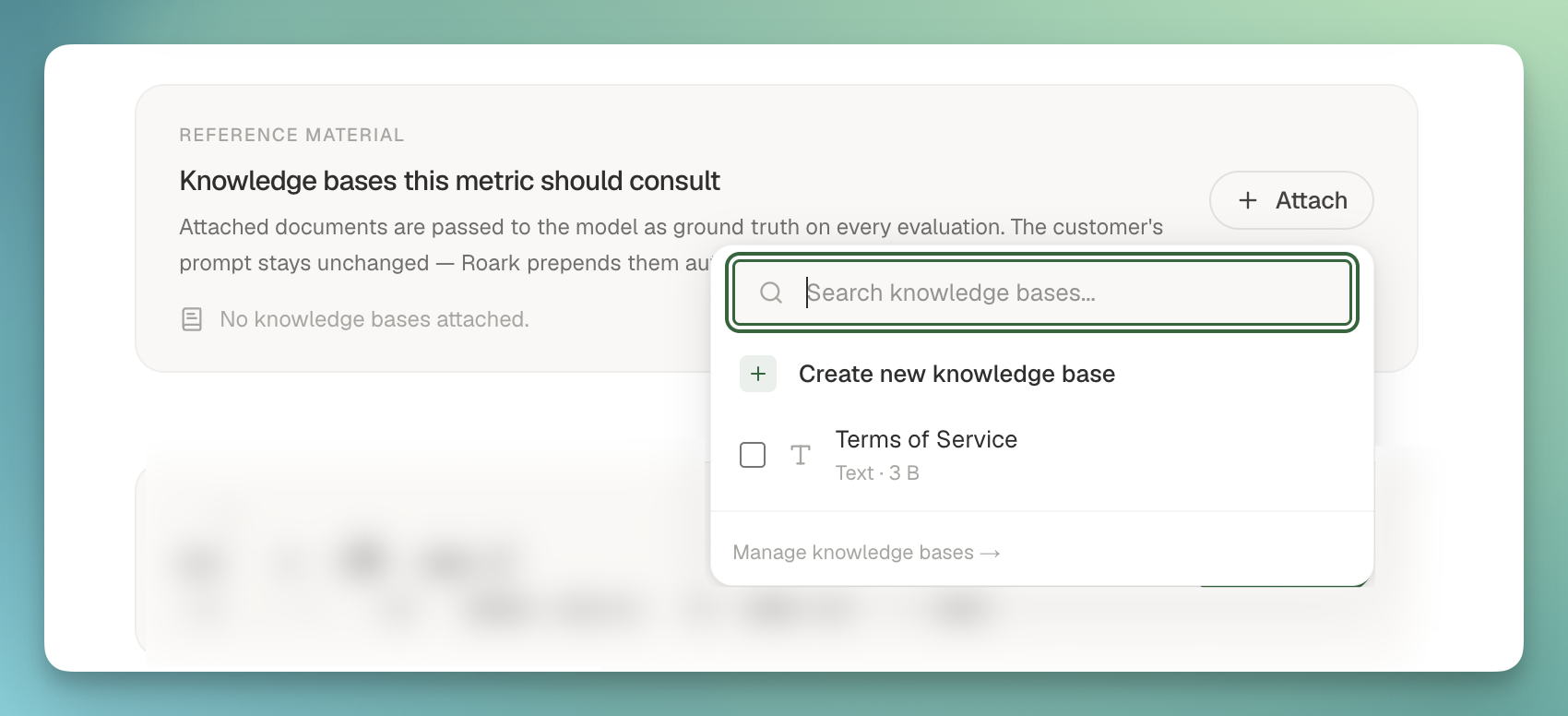
You can now upload your own reference material into Roark and attach it to the metrics that need it. Give a judge metric the actual rubric, give a compliance metric the actual policy doc, and let the metric score against your source of truth instead of a prompt approximation of it.

Knowledge base attached to a metric's Reference Material section

Three ways to bring content in:

  • File: upload a PDF, .txt, or .md, PDFs get text-extracted automatically
  • Text: paste markdown or free-form text directly
  • JSON: paste structured data (taxonomies, decision trees, labeled examples)

Find Knowledge Bases under Configure, then attach one or many to a custom metric from the new Reference Material section in Studio. At eval time we transparently prepend the attached documents to the LLM as ground truth, then your prompt runs against them, no prompt rewriting required.


05

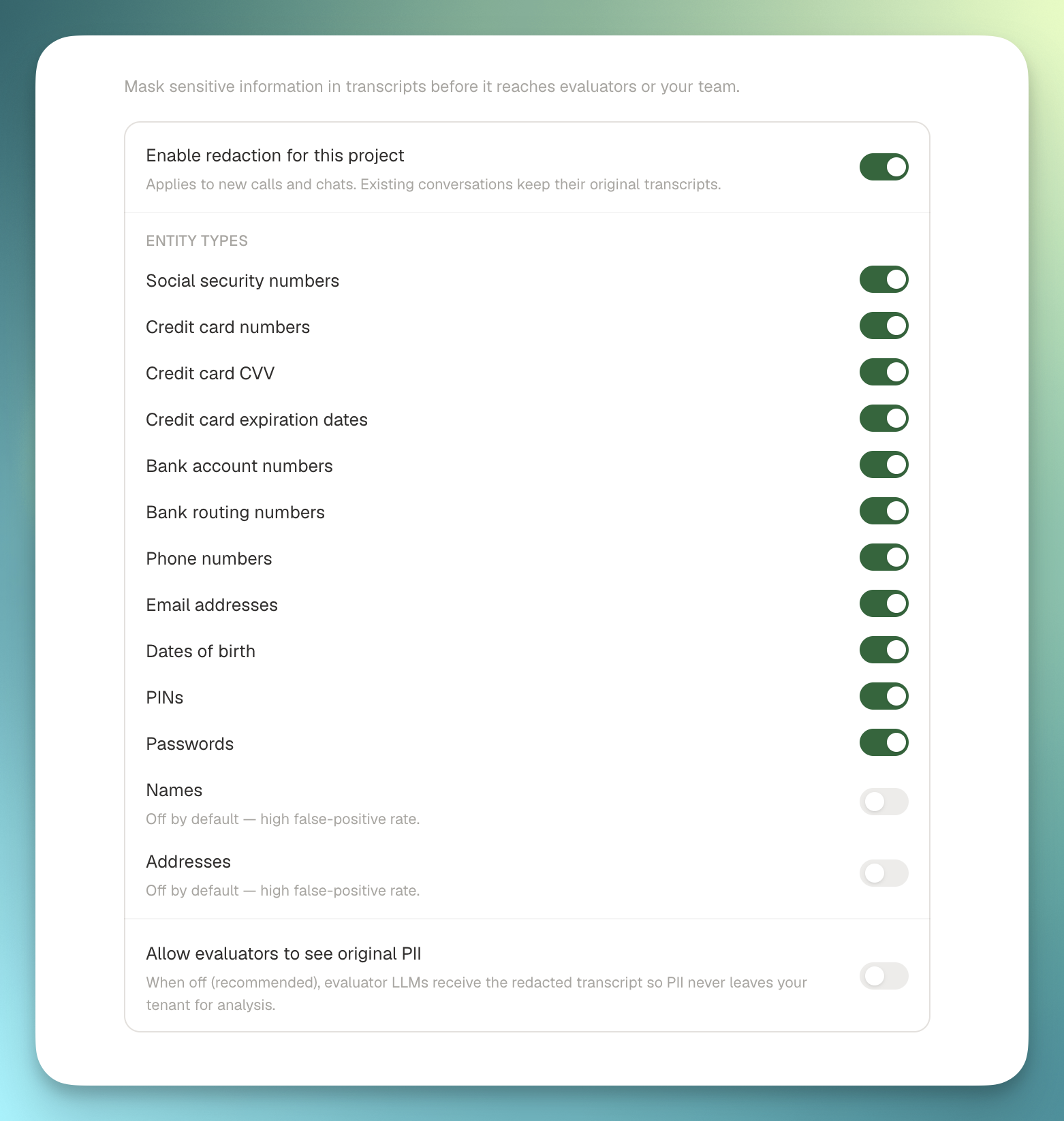
🔒 Fine-grained PII Redaction

You can now choose exactly which PII categories to redact from your calls, applied to both the audio and the transcript. Pick what's sensitive in your domain, leave everything else untouched.

Fine-grained PII redaction settings with per-category toggles

What you can redact:

  • Financial: credit card numbers, bank accounts, routing numbers
  • Government IDs: social security numbers, driver's license, passport
  • Contact: phone numbers, email addresses, physical addresses
  • Identity: names, dates of birth

Audio gets bleeped in place of the redacted span, transcripts get a [REDACTED:CATEGORY] marker, and the original never leaves the redaction step once it's enabled on a project.


06

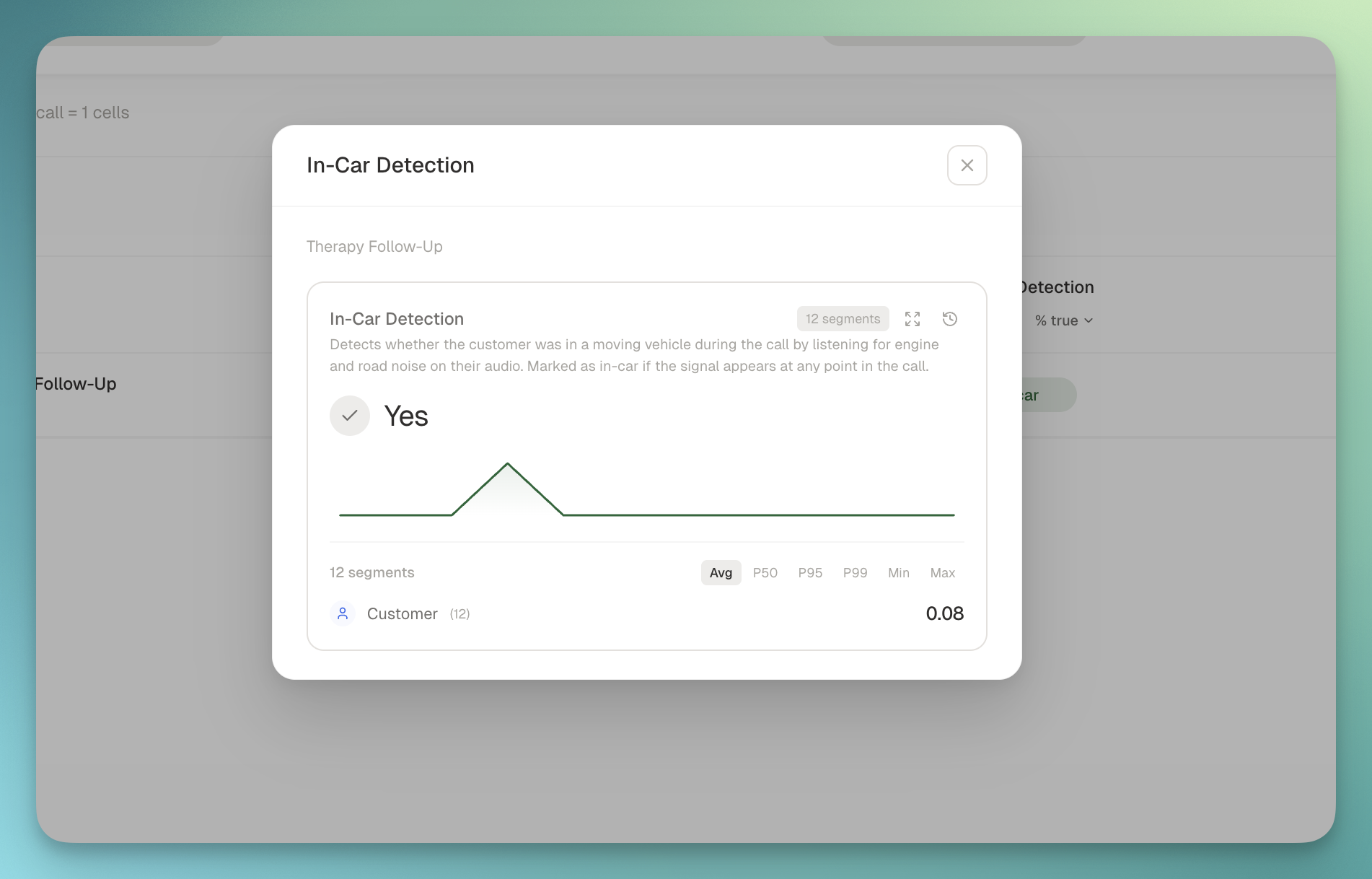
🚗 In-Car Detection

A new system metric that flags when a caller is in a vehicle, both at the segment level and rolled up to the call. Useful for quality scoring, routing decisions, or just understanding the audio conditions your agents are working through.

In-car detection metric on a call detail view

What you get:

  • Boolean + confidence per segment: see exactly when in the call the in-car signal appeared
  • Call-level rollup: answers "did this happen at any point in the call", not diluted by quiet stretches
  • Powered by a zero-shot audio classifier running on the call recording, no agent-side instrumentation required
  • Lives in the new Call Environment package so future ambient-audio signals (hold music, background noise, road noise) slot in next to it

Off by default, enable it via a metric policy on the projects where it matters.

From

James