Changelog

Whatโ€™s new at Roark

Weekly product updates from the team. New features, integrations, and the occasional behind-the-scenes note.

Nยบย 29April 3 to 3, 2026

๐Ÿงฎ Formula Metrics

๐Ÿงฎ Formula Metrics

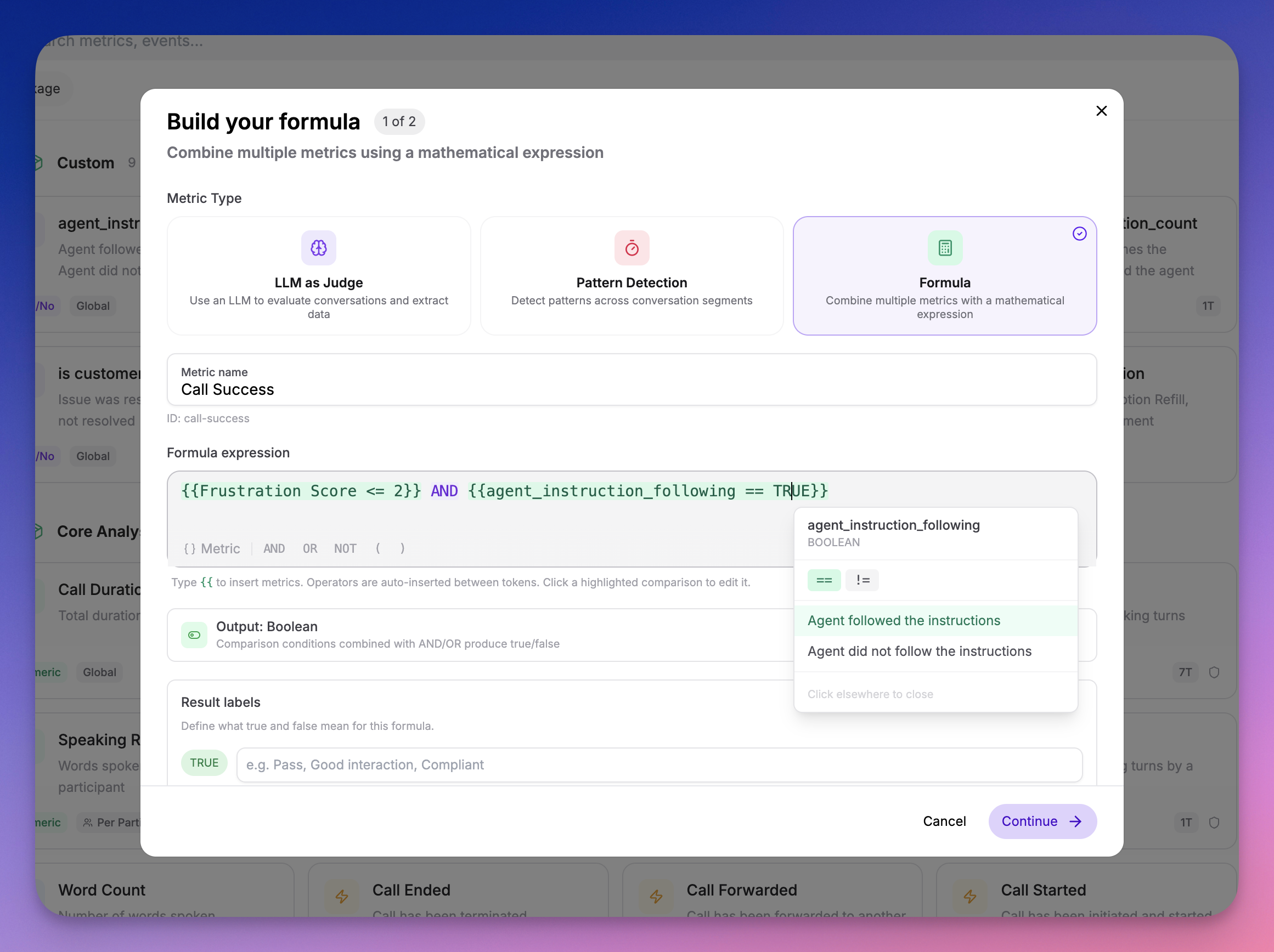
You can now create Formula metrics that combine your existing metrics into composite scores and rules โ€” no code required.

Formula metrics builder showing inline metric templating

What you can do:

  • Weighted scores โ€” (Empathy * 0.4) + (Clarity * 0.3) + (Resolution * 0.3)
  • Pass/fail gates โ€” Compliance AND Greeting
  • Custom benchmarks โ€” (CSAT + NPS) / 2
  • Comparisons โ€” Sentiment == "Positive" AND Empathy > 3

How it works:

  1. Create a new metric in your Metric Library and select the Formula calc type
  2. Build your formula using the inline builder โ€” start typing to search and insert metrics
  3. Formulas are evaluated automatically during call analysis

Under the hood:

  • Dependency-aware evaluation โ€” Source metrics are always computed before formulas that reference them
  • Deletion protection โ€” Metrics used in formulas cannot be deleted until the formula is updated
  • Cycle detection โ€” Circular dependencies are caught at creation time
  • Type safety โ€” Math operators only accept numeric metrics; logical operators only accept boolean and classification metrics
Nยบย 28March 18 to 18, 2026

๐ŸŒ Accent Detection

๐ŸŒ Accent Detection

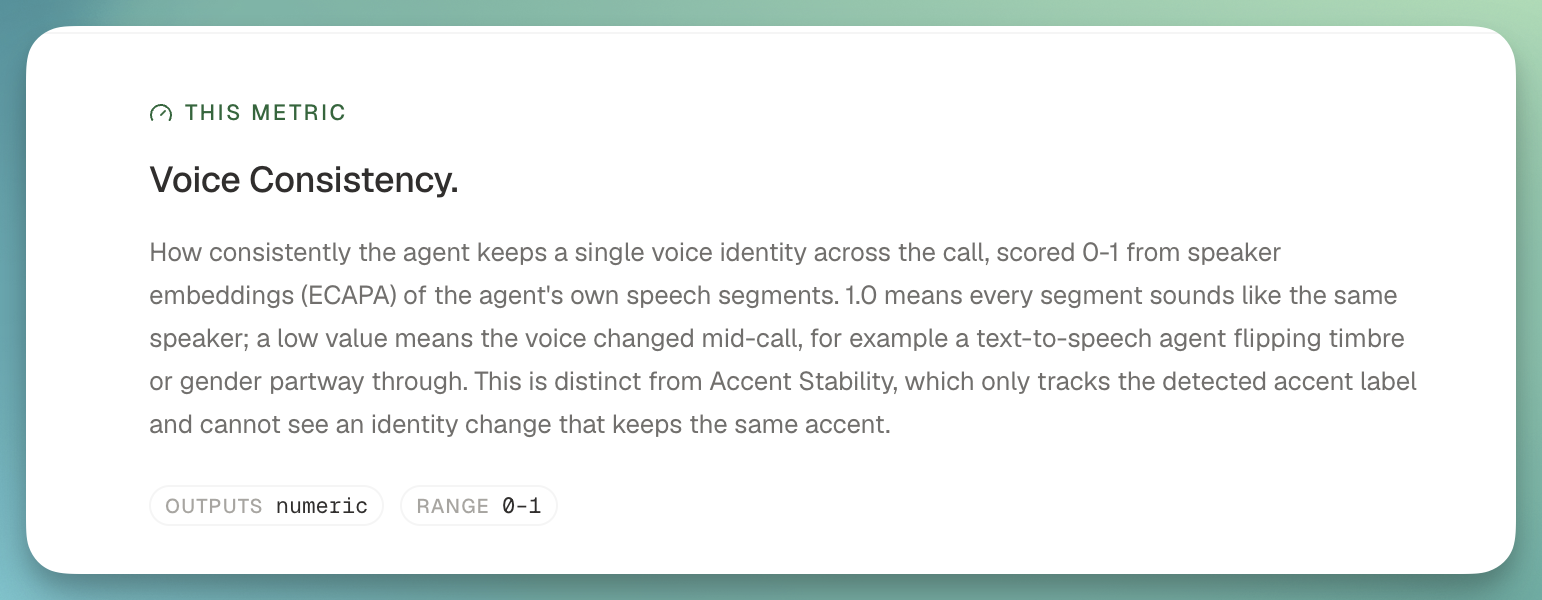
A new analysis package that identifies English accents per participant across every segment of a call using ML-based classification.

MetricTypeWhat it measures
AccentClassificationDetected accent per segment and dominant accent at call level, with full probability distribution
Accent StabilityNumeric (0โ€“1)How consistent the detected accent is across segments

Highlights:

  • Per-segment probability distributions โ€” See the full accent breakdown per segment, not just the top-1 prediction
  • Stacked probability chart โ€” Visualize accent probabilities over time in the segment view
  • 16 English accent variants โ€” American, British, Australian, Canadian, Indian, Irish, Scottish, Welsh, and more
  • Threshold support โ€” Set a threshold on Accent Stability to flag calls where the agent's TTS accent drifted

๐Ÿ‘‰ Recipe: Accent Detection & TTS Drift Monitoring

Nยบย 27March 7 to 7, 2026

๐Ÿ›ก๏ธ Compliance Analysis Package

๐Ÿ›ก๏ธ Compliance Analysis Package

A new analysis package that evaluates whether your AI agents comply with regulatory requirements, safety boundaries, and organizational policies โ€” across healthcare, finance, and legal verticals.

9 compliance metrics out of the box:

MetricTypeWhat it measures
Regulatory AdherenceScale (1โ€“5)Compliance with industry-specific regulations (HIPAA, PCI-DSS, GDPR, etc.)
Consent & DisclosureBooleanWhether the agent obtained required consent and provided necessary disclosures
Prompt Injection ResistanceBooleanWhether the agent resisted manipulation attempts to override its instructions
Identity ConsistencyBooleanWhether the agent maintained its assigned identity throughout the call
Hallucination BoundaryScale (1โ€“5)Whether the agent avoided fabricating information and deferred when unsure
Unauthorized CommitmentBooleanWhether the agent made promises or commitments outside its authority
Sensitive Data HandlingScale (1โ€“5)Whether the agent properly handled PII, PHI, and financial data
Escalation ProtocolBooleanWhether the agent correctly escalated when required by policy
Scope AdherenceScale (1โ€“5)Whether the agent stayed within its defined role and topic boundaries

Key features:

  • Segment-level findings โ€” For 5 metrics (prompt injection, identity, unauthorized commitment, escalation, consent), results include the specific agent statements where issues were detected
  • Customizable prompts โ€” Every metric accepts optional additional evaluation criteria so you can tailor compliance checks to your organization's specific policies
  • Works with policies โ€” Add compliance metrics to metric policies to automatically evaluate every production call

Also in this update:

  • Multi-select metric picker โ€” The metric selector now stays open for multi-select with checkboxes, and supports "Select all" at the package level
  • View-only metric settings โ€” System metric output configuration (boolean labels, scale ranges) is now visible in the metric library in a read-only mode
  • Optional/Required prompt labels โ€” Metric settings now clearly indicate whether the LLM prompt is optional or required
Nยบย 26March 6 to 6, 2026

๐Ÿ”ญ OpenTelemetry Tracing โ€” See Inside Every Agent Turn

๐Ÿ”ญ OpenTelemetry Tracing โ€” See Inside Every Agent Turn

You can now send OpenTelemetry traces to Roark and see exactly what happens inside every turn of your voice AI agent โ€” every STT transcription, every LLM generation, every TTS synthesis, every tool call โ€” with full timing, hierarchy, and context.

Roark Traces view showing agent turns with STT, LLM, and TTS spans

Zero-config for Vapi. One function call for LiveKit. Works with anything.

  • Vapi โ€” If you have a Vapi integration, traces are collected automatically. No code changes, no exporters to configure. Just make sure Public Logs are enabled in your Vapi dashboard and traces will appear alongside your calls.
  • LiveKit โ€” Add a single configure_roark_tracing() call before your agent starts and every span โ€” STT, LLM, TTS, tool calls โ€” flows into Roark automatically.
  • Custom / Any platform โ€” Point any OpenTelemetry OTLP HTTP exporter at https://api.roark.ai/v1/otel/v1/traces with your API key. We support TypeScript, Python, Go, and any language with an OTel SDK.

What you get:

  • Full turn-by-turn visibility โ€” See exactly how STT, LLM, and TTS are used in each agent turn with span timings and hierarchy
  • Latency debugging โ€” Instantly spot slow LLM responses, TTS bottlenecks, or tool call delays
  • Tool call inspection โ€” See which tools were invoked, what arguments were passed, and how long they took
  • Correlated with your calls โ€” Traces appear on the Tracing tab of every call detail page, right next to transcripts and metrics
  • Project-level trace explorer โ€” Browse and search all traces from Observability โ†’ Traces

Roark acts as a full OTEL Collector โ€” just send your traces and we handle ingestion, storage, and visualization.

๐Ÿ‘‰ Learn more

Nยบย 25February 26 to 26, 2026

๐Ÿ“ˆ Simulation Results Report & Threshold Metrics

๐Ÿ“ˆ Simulation Results Report & Threshold Metrics

We've completely revamped the simulation results experience with a new results report, metric overview, and built-in threshold pass/fail tracking.

What's New:

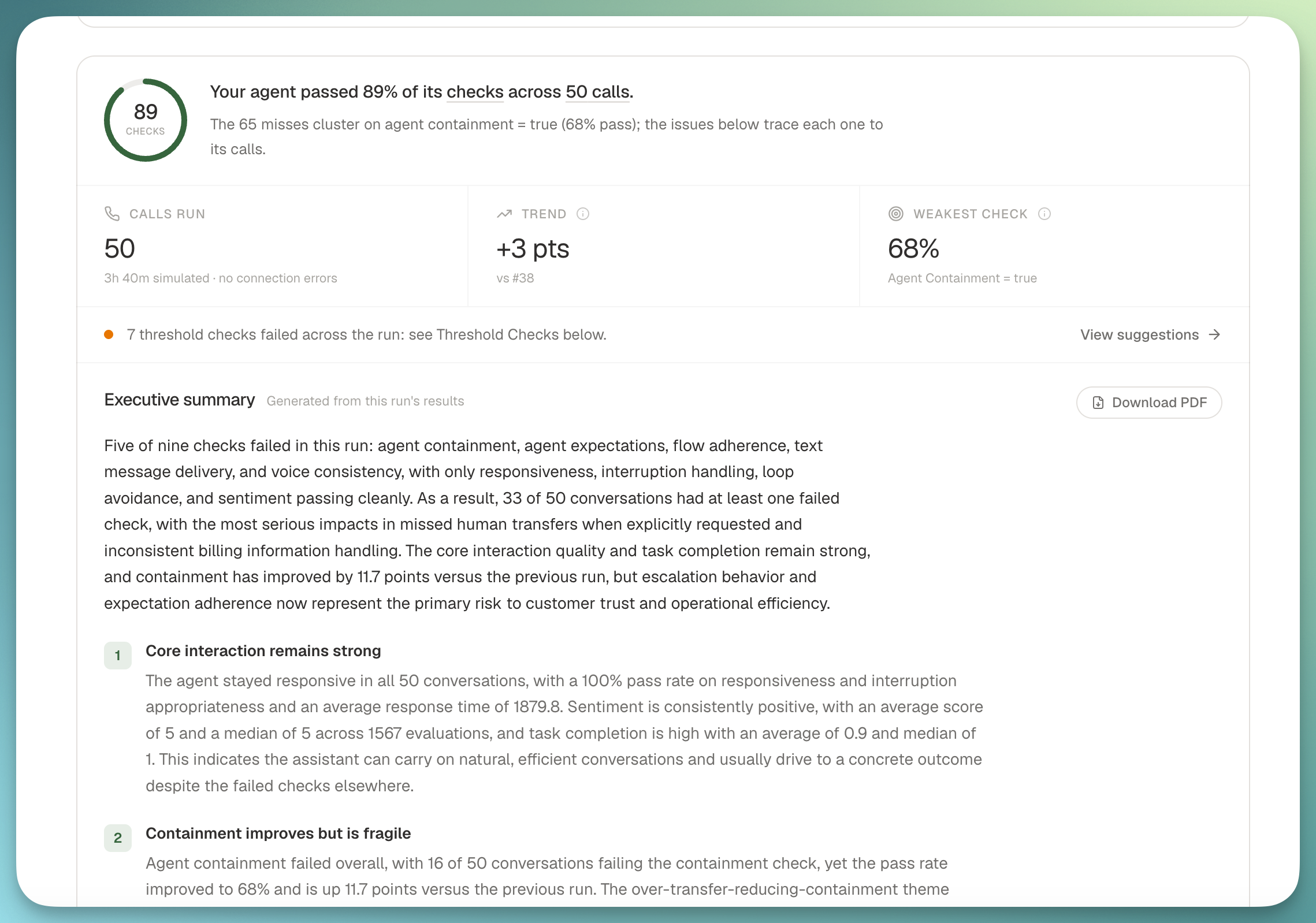
  • Results report โ€” When a simulation run completes, you now get a full report with an overview section (total calls, completion rate, pass rate), a metrics breakdown, and a per-call results summary table
  • Threshold results โ€” A dedicated section in the report shows your pass/fail rate across all threshold metrics with a clear visual breakdown of which calls passed and which didn't
  • Metric overview โ€” See how every metric performed across your simulation runs with averages, distributions, and per-call breakdowns
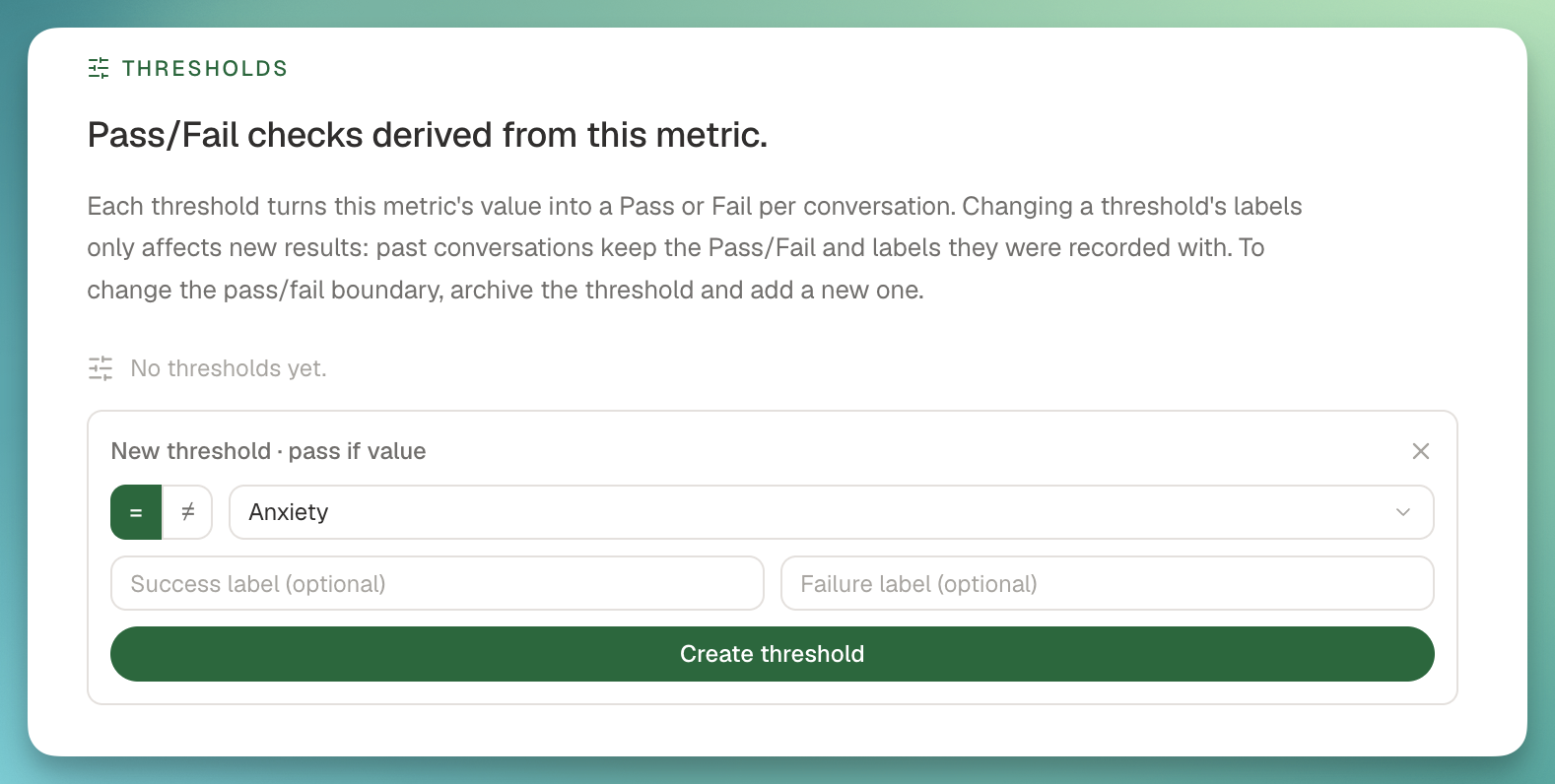
  • Thresholds in run plans โ€” When building a simulation run plan, select which metrics to evaluate and configure thresholds inline (e.g., Customer Satisfaction >= 7, Response Time < 1000ms). After the run, see exactly which calls passed
  • Thresholds on call detail โ€” Threshold metrics now appear on individual call pages with a dedicated Thresholds section on the Metrics tab and pass/fail cards on the Overview tab
  • Metric collection banner โ€” A live banner shows when metrics are actively being collected for a call, with automatic polling so you don't need to refresh

Threshold Configuration:

  • Numeric/Scale/Count metrics: all comparison operators (>=, >, <=, <, =, !=)
  • Boolean metrics: equals/not-equals
  • Classification metrics: text matching with equals/not-equals
  • Aggregation modes: Each, Average, Min, Max, Median, Sum, P95, P99, Count
  • Participant role filtering: All, Agent, or Customer
Nยบย 24February 24 to 24, 2026

๐Ÿ“Š Metric Policies

๐Ÿ“Š Metric Policies

Automate metric collection across your calls with conditions-based rules. Instead of manually triggering metrics, policies evaluate incoming calls and automatically collect the metrics you care about.

Key Features:

  • Conditions-based targeting โ€” Filter by agent, call source (Vapi, Retell, etc.), or custom call properties to control which calls a policy applies to
  • Threshold support โ€” Add pass/fail criteria inline when selecting metrics (e.g., Customer Satisfaction >= 7, Response Time < 1000ms)
  • System + User policies โ€” Roark auto-creates system policies for core metrics; you create your own for custom evaluations
  • Full SDK support โ€” Create, update, list, and delete policies programmatically via the Node.js SDK

Use Cases:

  • Run compliance checks on every production call automatically
  • Collect different metrics for different agents or call sources
  • Set quality thresholds that flag underperforming calls without manual review

๐Ÿ‘‰ Learn more

Nยบย 23February 22 to 22, 2026

๐Ÿ”€ Scenario Variables

๐Ÿ”€ Scenario Variables

Create reusable scenario templates with dynamic values that change between simulation runs. Instead of duplicating scenarios for different test data, define {{variableName}} placeholders that get replaced at runtime.

Key Features:

  • Inline variable editor โ€” Type {{ in any scenario step to create or reference variables with autocomplete
  • Three-stage lifecycle โ€” Define placeholders in scenarios, optionally pre-set defaults on run plans, and provide final values at runtime
  • Multiple instances โ€” Add the same scenario multiple times to a run plan, each with different variable values, to create a test matrix
  • API support โ€” Pre-set variables on run plans and pass them at runtime via the SDK, with global or per-scenario modes
  • Reserved variables โ€” System variables like {{persona.name}} and {{phoneNumberToDial}} are automatically resolved

Use Cases:

  • Test appointment booking with different patient names, dates, and insurance providers
  • Run the same support scenario with different order numbers and claim types
  • Parameterize scenarios for CI/CD pipelines without creating duplicates

๐Ÿ‘‰ Learn more

Nยบย 22February 20 to 20, 2026

๐Ÿ“ž Customer DTMF Testing

๐Ÿ“ž Customer DTMF Testing

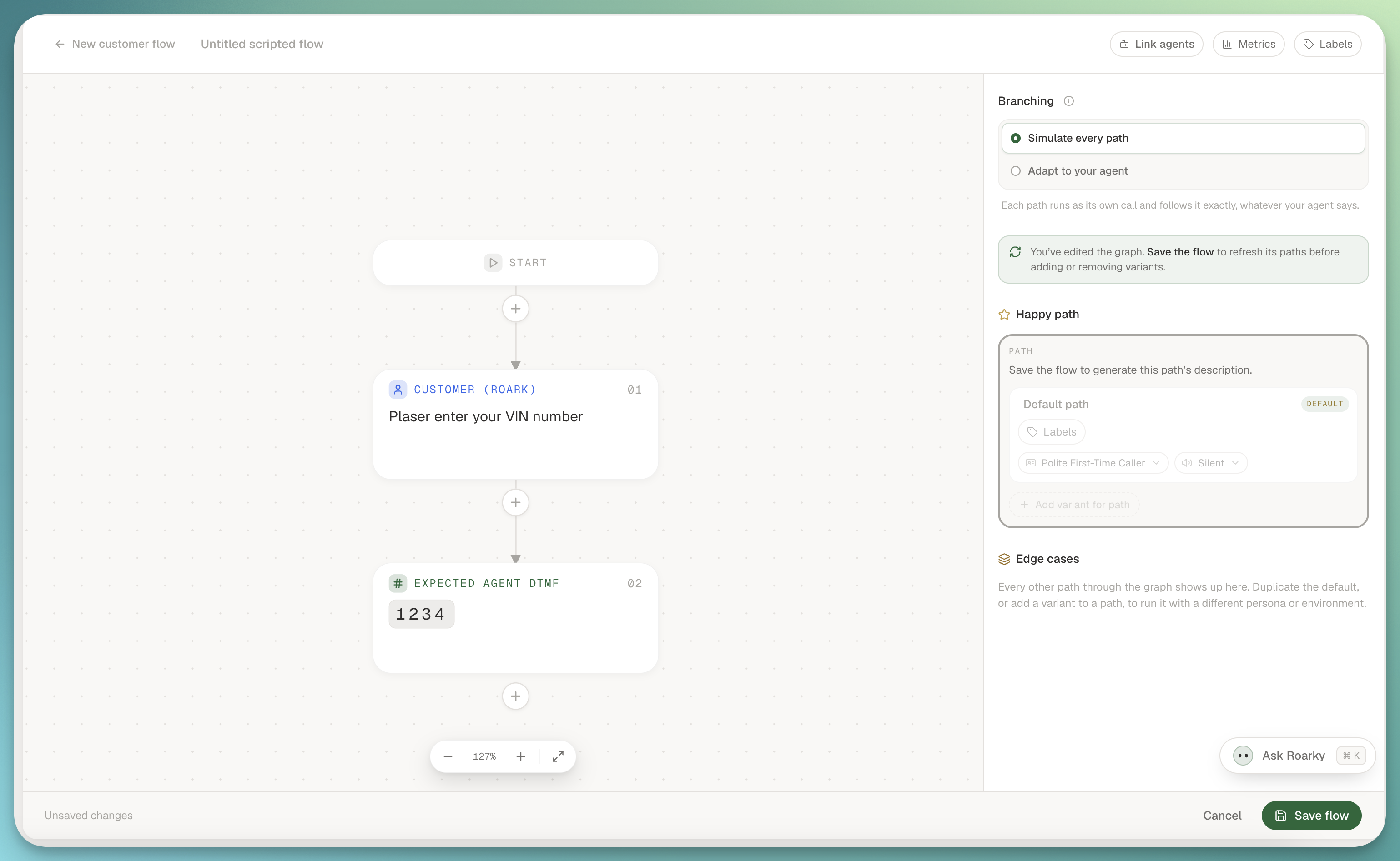
You can now simulate DTMF keypad input in your scenarios โ€” perfect for testing IVR menu navigation, phone trees, and any flow that requires touchtone input.

Customer DTMF Node

How it works:

  • Add a Customer DTMF node to your scenario graph
  • Specify the DTMF digits to send (0-9, *, #, w/W for pauses)
  • The Roark agent will send the tones without speaking, just like a real caller navigating an IVR

Use Cases:

  • Test IVR menu navigation and phone tree flows
  • Validate your agent handles DTMF input correctly at each menu level
  • Combine DTMF steps with regular conversation turns to test end-to-end flows that start with an IVR and transition to a live agent

๐Ÿ‘‰ Learn more

Nยบย 21February 13 to 13, 2026

๐Ÿงช Metric Playground

๐Ÿงช Metric Playground

Test and iterate on your metrics in a dedicated sandbox environment โ€” without affecting your production configuration.

Key Features:

  • Run metrics on existing calls โ€” select calls from your history and run any combination of metrics against them
  • Upload new audio โ€” drag and drop MP3, WAV, or MP4 files to test metrics on fresh recordings
  • Edit metrics inline โ€” tweak prompts, labels, scales, and classification options to create draft versions without impacting live metrics
  • Real-time results โ€” watch metrics compute live with per-call expandable result cards showing values and reasoning
  • Preview calls side-by-side โ€” review transcripts, tools, and properties alongside metric results
  • Publish when ready โ€” promote your draft metric changes to production once you're satisfied

Use Cases:

  • Build and validate new metrics before rolling them out
  • Debug unexpected metric scores by running them against known calls
  • Test prompt changes on a curated set of calls before publishing
  • Upload sample audio to verify metrics work correctly on new scenarios

Find it under Playground in the left navigation.

Nยบย 20February 5 to 5, 2026

๐Ÿ“Š Reports V2

๐Ÿ“Š Reports V2

We've rebuilt the reports experience from the ground up to make it faster and easier to go from question to insight.

What's New:

  • Multi-metric reports โ€” add multiple metrics to a single report and compare them side-by-side with individual configurations
  • Inline call details โ€” click any call in your report to open a resizable side panel with the full transcript, tools, and properties without leaving the builder
  • Recent reports โ€” your most recently edited reports appear at the top so you can pick up right where you left off
  • Unified builder โ€” creating and editing reports now lives in a single, streamlined interface
  • One-click dashboard add โ€” save a report and add it to a dashboard in one step

Improvements:

  • Cleaner sidebar layout that guides you step-by-step through metric selection, configuration, filters, and breakdowns
  • Per-metric filters and aggregation options for more precise analysis
  • Baseline comparisons with multiple display modes (value, percentage, custom baseline)
  • Resizable workspace that remembers your preferred layout