Nº 31

This week at Roark

July 13 to 19, 2026

This week was about closing the loop between what your agent does in production and what you do about it: uptime you can trust, failure modes clustered automatically, and prompt edits proven out by simulation. Five things landed that I think you'll actually use.


01

🩺 Health Checks & Uptime

Roark now answers the simplest question about your voice agent: is it answering right now? A new Health checks page in the Monitor section runs a fixed liveness probe on whatever cadence you pick and renders every monitor as a status-page card.
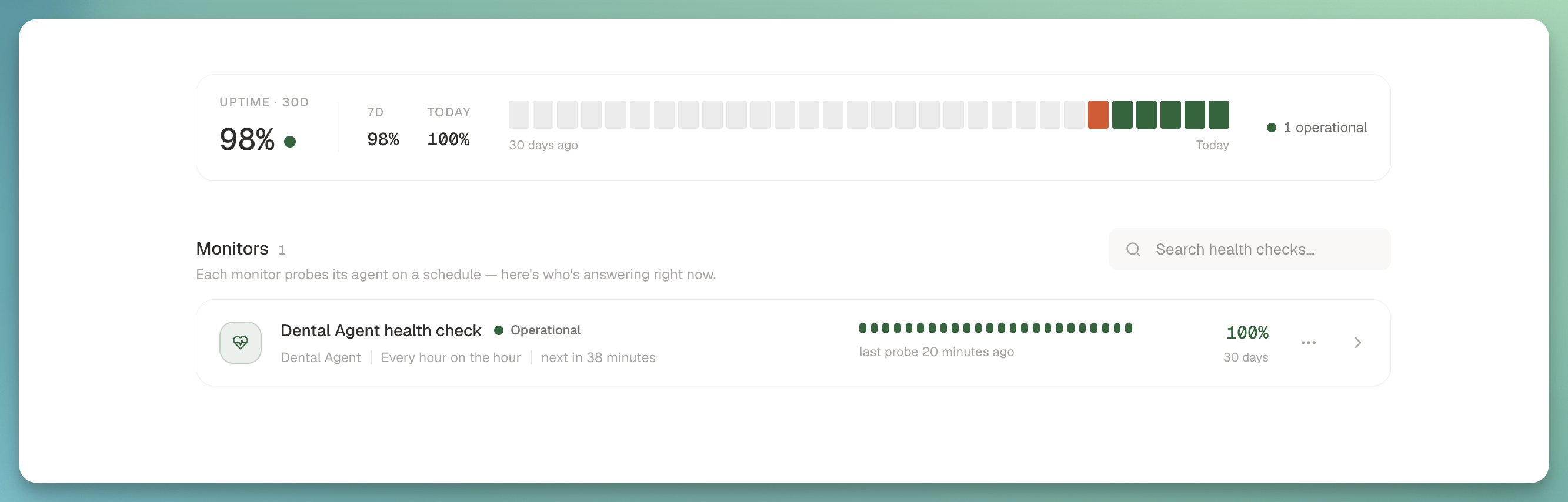
Health checks page with status cards and 24-hour probe tick bars

What you get:

  • Status at a glance: Operational / Down / Paused per monitor, a 24-cell probe tick bar, and 30-day uptime pulled from a dedicated ClickHouse fact table (a probe that never connects registers as an outage instead of quietly disappearing).
  • Overview widget on the page: 30-day hero plus 7-day and today, with a daily status strip that draws from the same projection the cards do. They can't disagree.
  • Uptime on dashboards: a new UPTIME report source auto-provisions an uptime widget on your default dashboard the first time you create a health check.
  • Sharper liveness check: the probe's headline is now agent_spoke (did the agent produce any speech at all?) instead of the old who-spoke-last heuristic that false-alarmed on healthy calls where the caller hung up last.
  • Cost transparency: the create dialog spells out probe volume for the cadence you pick, so nothing surprising lands on your bill.
02

🧠 AI-Detected Issues

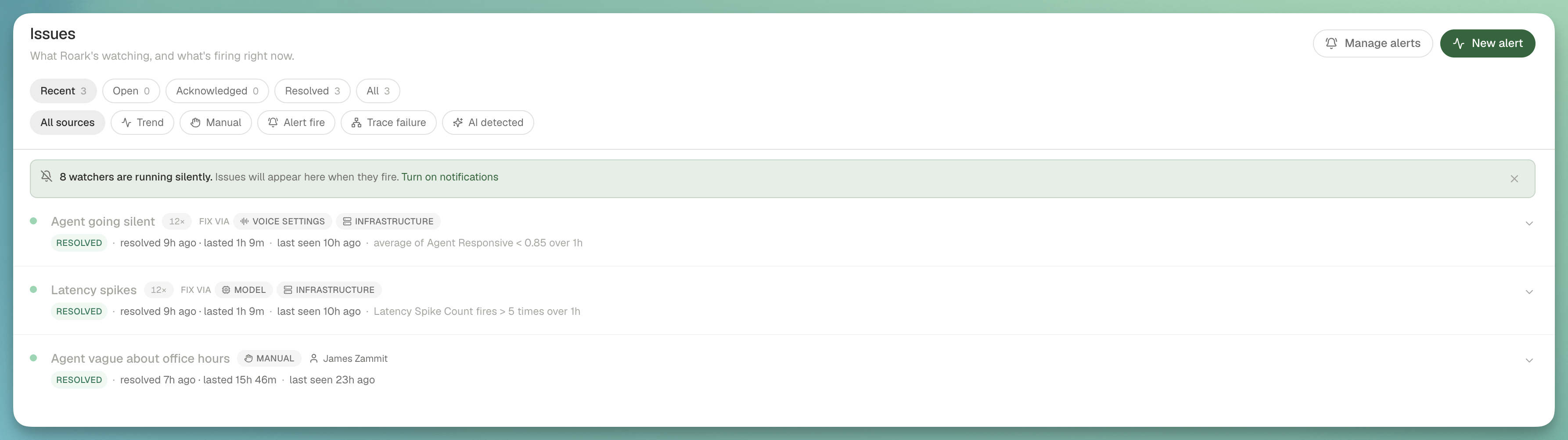
Recurring behavioral failures across your production calls now get grouped into Sentry-style issues automatically, no alert configuration required.

AI-detected issues page grouping recurring behavioral failures into stable issues

How it works:

  • Always-on clustering: a scheduled sweep reads the last 24 hours of failing checks and numeric system signals (frustration, sentiment, comprehension failures, conversation loops), asks a model to group them into failure modes, and opens or updates an issue per mode with stable fingerprints and per-call evidence.
  • Recent view by default: the issues page now leads with active plus recently-resolved so the trend issues that auto-resolve in an hour aren't hidden the moment you check.
  • Issues banner on call detail: when a call is cited as evidence inside an active issue, you see it right there with one click into the full picture.
  • Five new default watchers seed on every project (agent going silent, high frustration, negative sentiment trend, comprehension failures, loops), with a one-time backfill for existing projects that never got seeded.

03

🔧 Prompt Optimizer, End to End

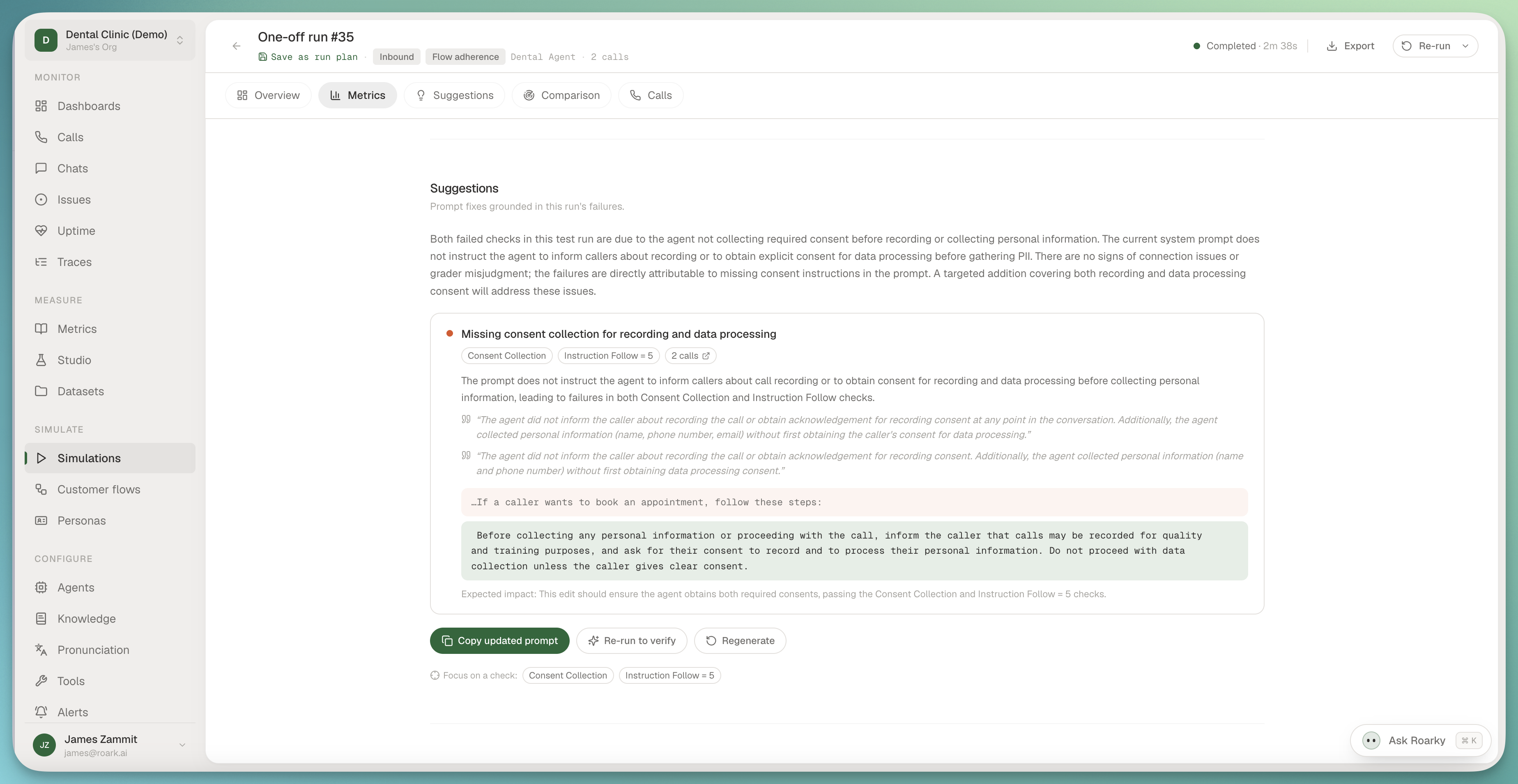
After a simulation run settles, Roark reads the failing checks, the worst calls, and the current agent prompt, then proposes targeted edits with anchors and evidence instead of hand-waving a rewrite. Fix it, re-run the suite, get proof it moved.

Prompt optimizer showing evidence-grounded suggested edits after a simulation run

What landed:

  • Evidence-grounded findings: every suggestion cites the checks and conversations it came from. Anything the model invents is dropped before it reaches your screen.
  • Verify loop: focus the analysis on a single failing check, re-run the same suite, and see the movement quantified check by check in the comparison view.
  • Prompt versioning: every prompt now carries immutable version history, each conversation records exactly which version ran it, and the optimizer notices when your prompt has drifted since the last analysis.
  • Suggestions on issues too: expanding an AI-detected issue runs the same analysis against the calls in evidence and shows the recommended prompt fix inline, so you can go from "here's the pattern" to "here's the edit" without leaving the page.

04

🤖 Roarky Can Build Analytics for You

Ask the in-app assistant to "track how often callers ask about pricing" and it does the whole chain: finds or creates the metric, starts a collector so it runs on every new call, and drops a chart on your dashboard.

How it behaves:

  • One confirmation, whole pipeline: metric → collector → report → optional backfill of history, with Roarky narrating what it picked.
  • Sensible defaults: auto-places new charts on your default dashboard when you don't name one.
  • Honest about empty state: a freshly-charted metric reads empty until data collects. Roarky says so and offers to backfill the history.

05

🌿 Deterministic vs Adaptive Flows

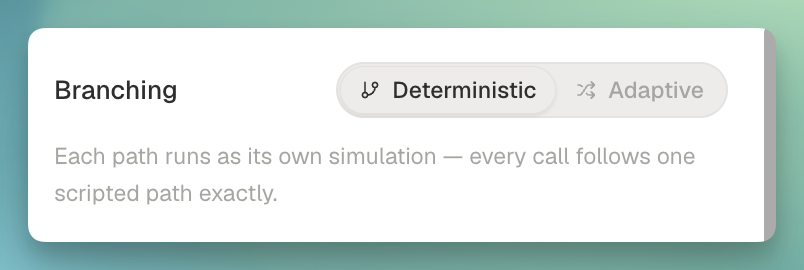
Scripted flows now have a branching mode toggle in the editor header, so one flow can either fan out into a simulation per path or collapse into a single call the agent adapts across.

Flow editor with deterministic and adaptive branching mode toggle

What's new:

  • DETERMINISTIC runs one simulation per unique path (the existing behavior).
  • ADAPTIVE collapses a flow's own paths into a single call, and links to sub-flows follow whichever path the agent-under-test takes.
  • Persona coverage stays orthogonal: five paths across three personas produces three adaptive calls, not one, so you still get real persona variation.
  • Simulation tab on call detail: every simulated call now surfaces the flow it ran (adaptive brief or scripted steps), the persona, and the agent endpoint, with deep links out to each.

From

James