01
🎧 Notable moments on the call audio player
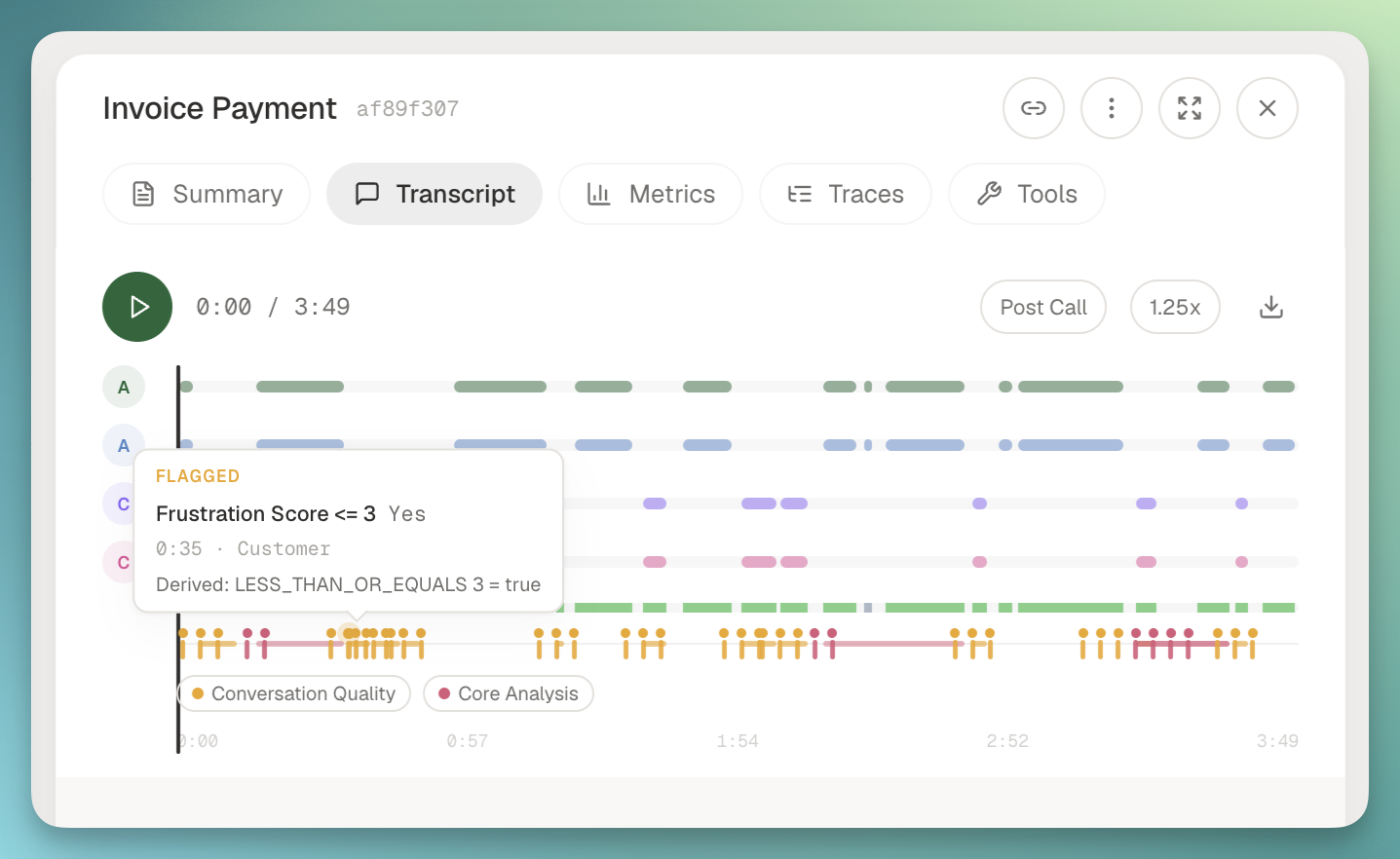
The call audio player now surfaces where the interesting things happened, not just the transcript. A sentiment ribbon runs under the diarization tracks, and a moments lane above it marks interruptions, agent cutoffs, and any boolean or offset metric that fired during the call.
How it works:
- Hover a marker to see the metric name, value, reasoning, timestamp, and participant.
- Click a marker to seek the audio to that instant and highlight the matching transcript line.
- Toggle legend chips to filter the marker categories you care about.
- Any new segment or turn metric shows up automatically based on its output type. Sentiment paints the ribbon, booleans and offsets drop markers, whole-call scalars stay in the metrics tab.