Nº 33

This week at Roark

July 27 to August 2, 2026

This week leaned voice: two new metrics for how your agent actually sounds, plus environmental noise now working everywhere we place calls. A few Studio quality-of-life wins landed alongside them.


01

🎙️ Voice Human-Likeness

You can now score how human vs robotic your agent actually sounds. Voice Human-Likeness is a new 1-5 metric that listens to the agent's own audio (not the transcript) and judges acoustic delivery against a fixed rubric.
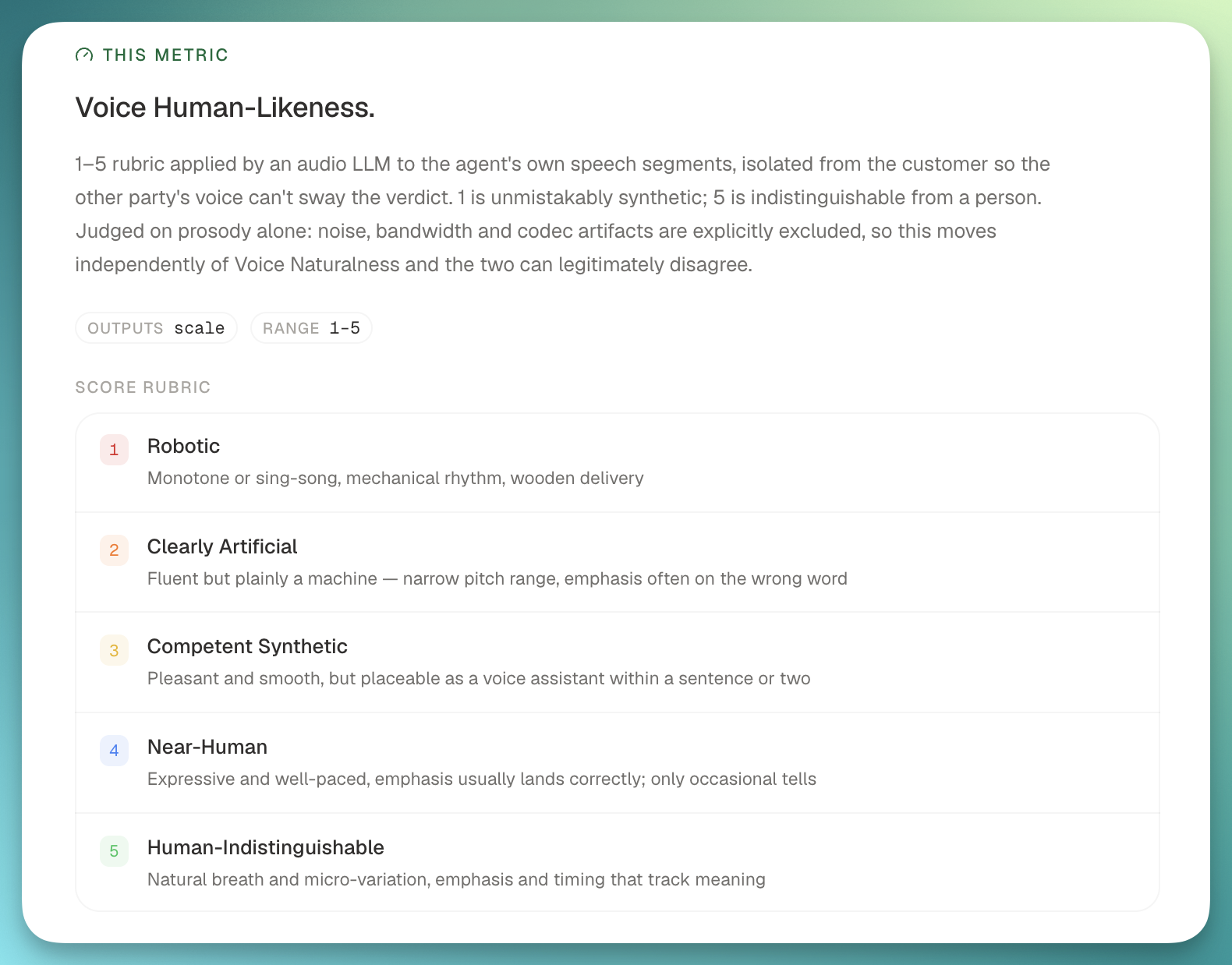
Voice Human-Likeness metric grading agent audio on a 1-5 scale

What it gives you:

  • Per-agent scores sampled evenly across the call, so scripted monologues never dominate the read.
  • Catches smooth robots: TTS voices that pass classic MOS checks but still sound robotic to a real listener.
  • Pairs with Voice Naturalness, also new this week. Naturalness (UTMOS-based) grades audio signal quality; Human-Likeness grades whether the delivery reads as human. Together they separate "sounds bad" from "sounds fake."
02

🙂 Customer Reception metric

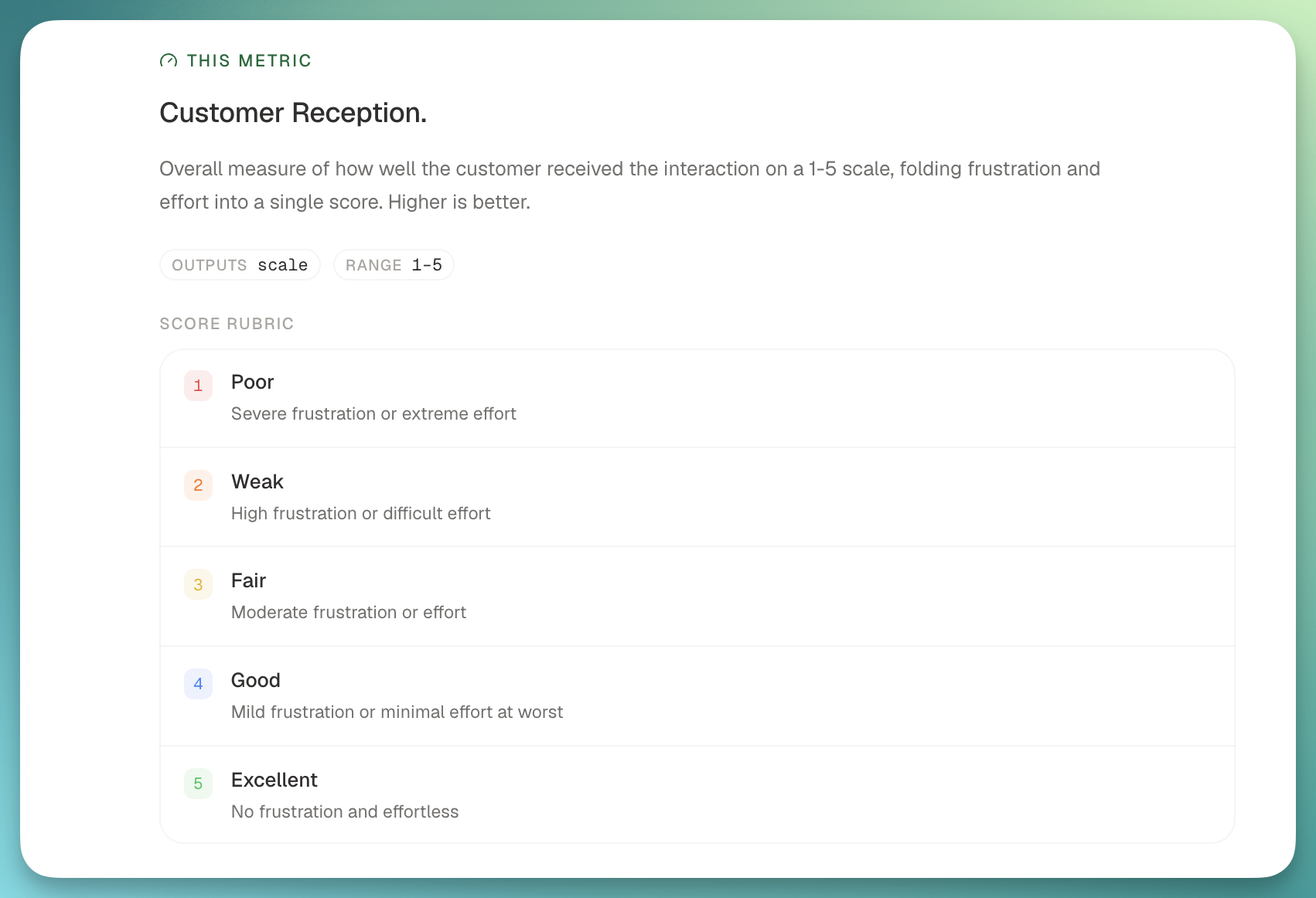
Frustration and user-effort scores are now folded into a single Customer Reception number. Higher is better, banded 1-5, and it lands on every quality-analysis run without adding another LLM call. It shows up in your metric library automatically, no configuration needed.

Customer Reception metric shown in the Roark metric library

03

🎯 Threshold management on the metric page

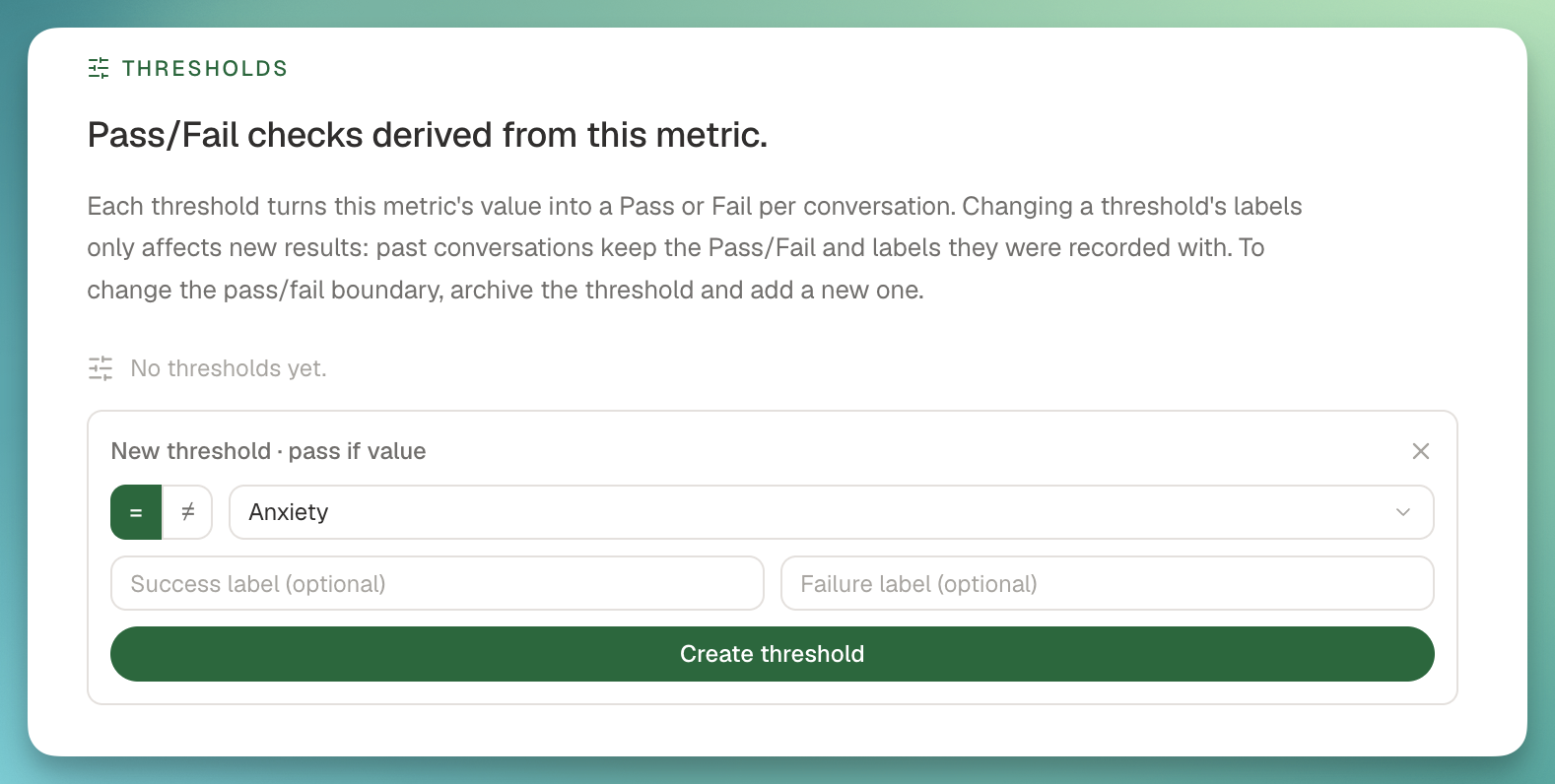
Studio's metric page now has a Thresholds section, so you can list, add, rename, archive, and unarchive pass/fail thresholds in one place.

Thresholds section on the Studio metric page

Also new:

  • Widget deep-links. "Metric details" on a dashboard threshold widget now jumps straight to the source metric and highlights the specific threshold you clicked from.
  • Safe renames. Editing a threshold's name or Pass/Fail labels is never retroactive. Past conversations keep the labels they were graded against.

04

✅ Studio Evaluate as a scannable checklist

Studio Evaluate used to expand every picked metric's threshold editor inline, which made a suite of ten metrics feel like fifty. It now renders as a dense checklist where each metric shows a single chip: either the attached threshold or "Set threshold" to add one.

Two side-effects worth calling out:

  • Threshold columns appear in the results matrix immediately, no more reload to see them.
  • Progress reflects what actually ran, so the bar no longer skews when thresholds are attached.

05

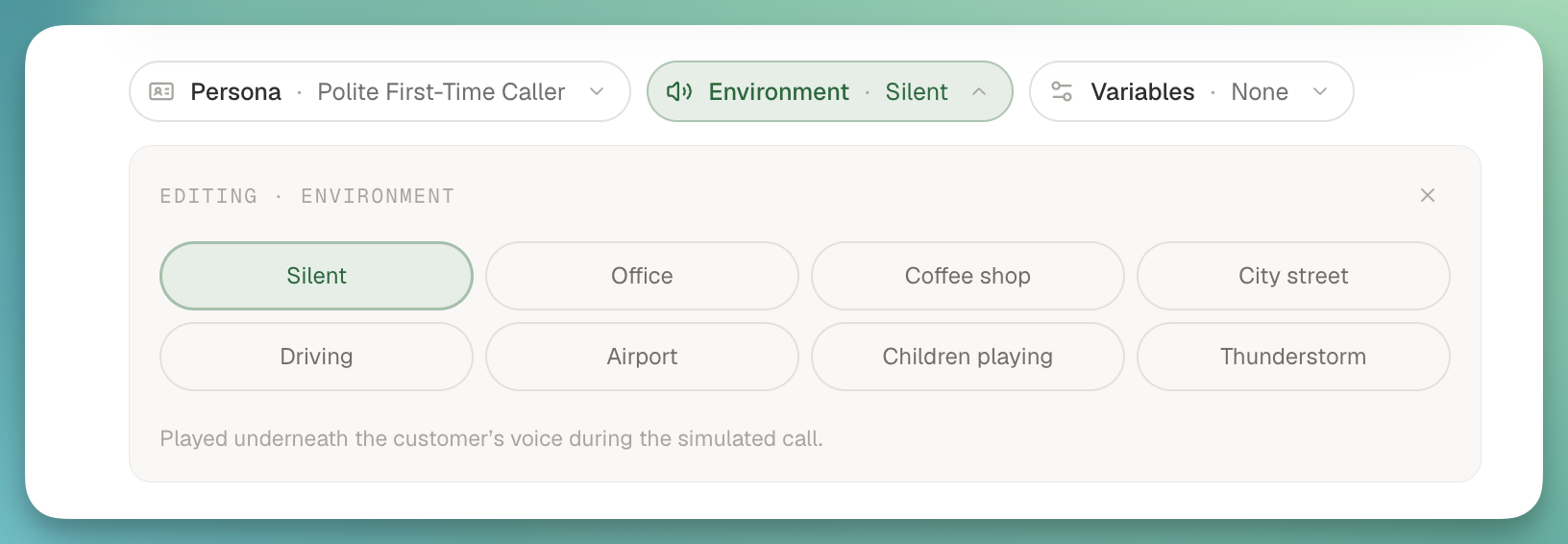
🔊 Background noise on every call transport

Environment and Persona background-noise settings now play on calls placed over LiveKit, Telnyx, Daily, and Small WebRTC. If you've configured ambient office chatter or a call-center hum for a persona, it now lands on every transport we support. Loudness is also normalized to a fixed reference level, so a volume: 0.1 setting gives a predictable perceptual result regardless of the source asset.

Background noise configured on a persona environment

From

James