Nº 34

This week at Roark

August 3 to 16, 2026

Two weeks packed into one note since we skipped last week's send. The headline is Annotations and Ground Truth: your team can now grade calls together, and those labels tune your metrics against your own examples.


01

✍️ Annotations: label your calls and metrics with your team

The old Review area is now Annotations, and it's grown into a real collaborative workspace for grading calls with your team. Reviewers work from the same queue, label moments straight off the transcript, and disagreements are surfaced instead of buried.
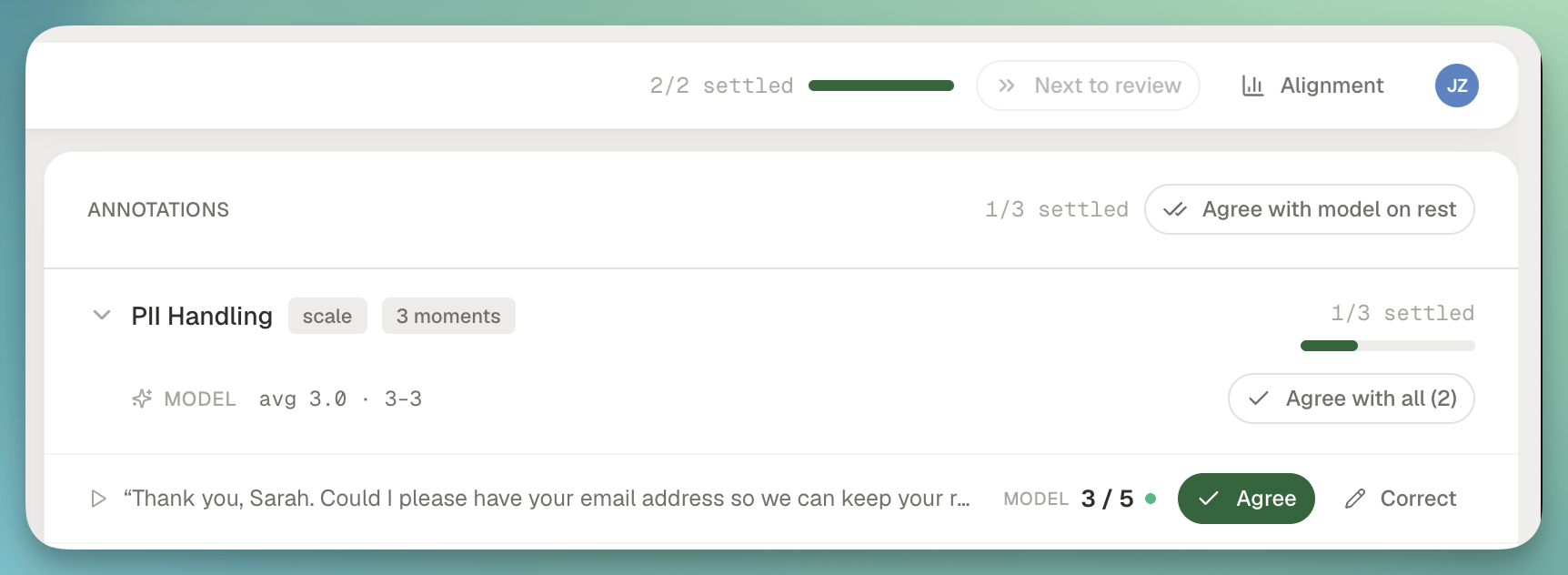
Annotations workspace showing collaborative labeling on a call transcript

What's new in Annotations:

  • Label a moment straight from the transcript. Highlight a turn, tag it against a metric, add a quote, and it lands in the annotation with a jump link back to the exact segment.
  • Per-metric rubrics for review sessions. Each metric brings its own scoring guide into the session, so reviewers see the same instructions inline instead of a shared doc nobody reads.
  • Inter-annotator agreement across reviewers on the same call, so you can see where your team disagrees before you argue about model accuracy.
  • Reviews hub on Library with live auto-score job progress, jumpable review queues, and a lede telling you what needs attention next.
  • Alignment detail on follow-ups so a second reviewer coming into a call sees the previous verdicts, the quotes behind them, and where they agreed or split.
02

🎯 Ground Truth: tune your metrics from your own examples

Labels aren't just for reporting anymore. When you correct a metric in Studio, that correction becomes ground truth, and your owned LLM metrics fine-tune themselves against it so the next call scores the way you would.

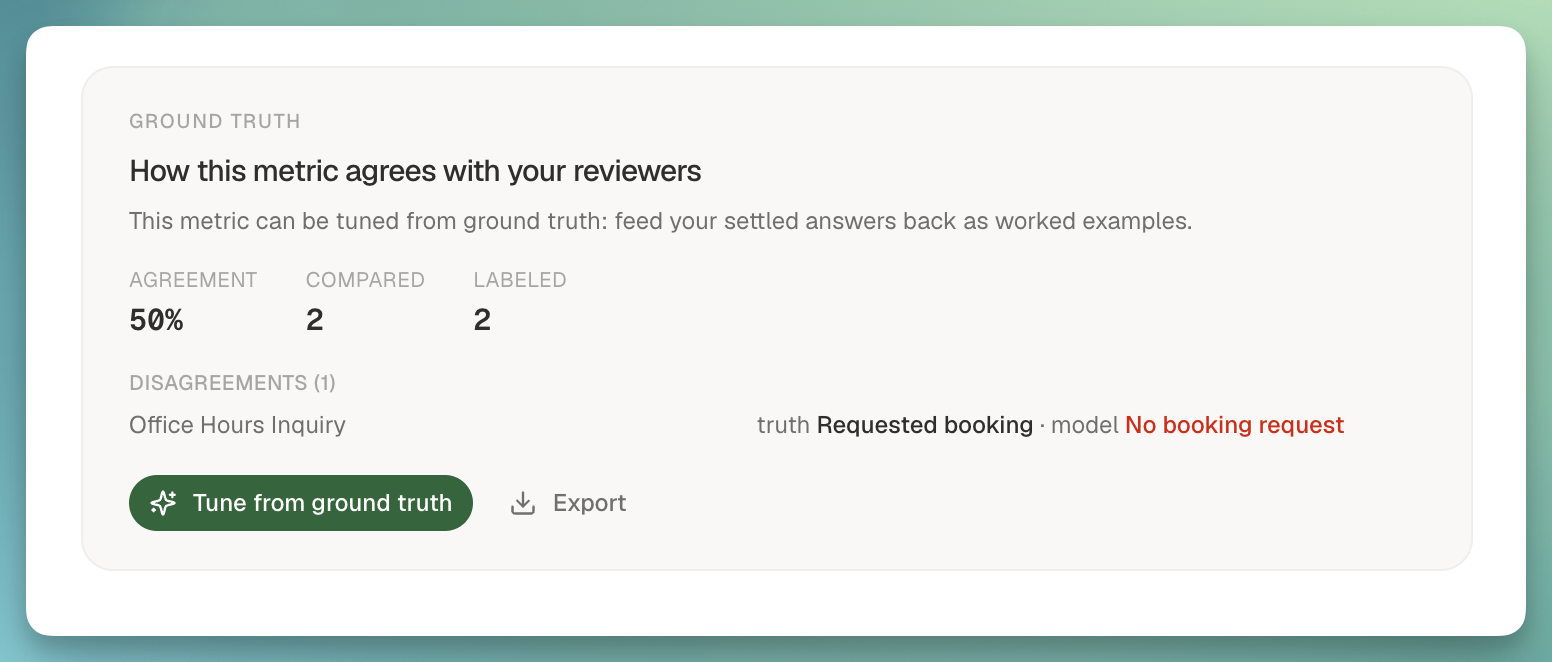
Ground truth panel in Studio showing labeled examples for a metric

How it works:

  • Correct a metric inline. On the call details page and in Studio's EVALUATE view, click a metric result to change the value or verdict. That correction is saved as ground truth against that call.
  • Ground-truth panel in Studio shows every example you've labeled for a metric in one place, so you can see the shape of what you've taught it.
  • Auto-tune once you have five examples. Owned LLM metrics with five or more ground-truth labels re-score using your examples as few-shots. If agreement with your labels improves, the tuned version sticks. If it regresses, we revert and tell you why.
  • Discovery, labeling, and tuning on one surface. The Label calls action opens the picker on the metric card itself, so picking calls, scoring them, and watching alignment move all happen without leaving the metric you're working on.
  • Owned LLM metrics only. System metrics and non-LLM metrics don't offer the tune action, so there's no ambiguity about what's actually adjustable.

03

📊 Three new metrics packages

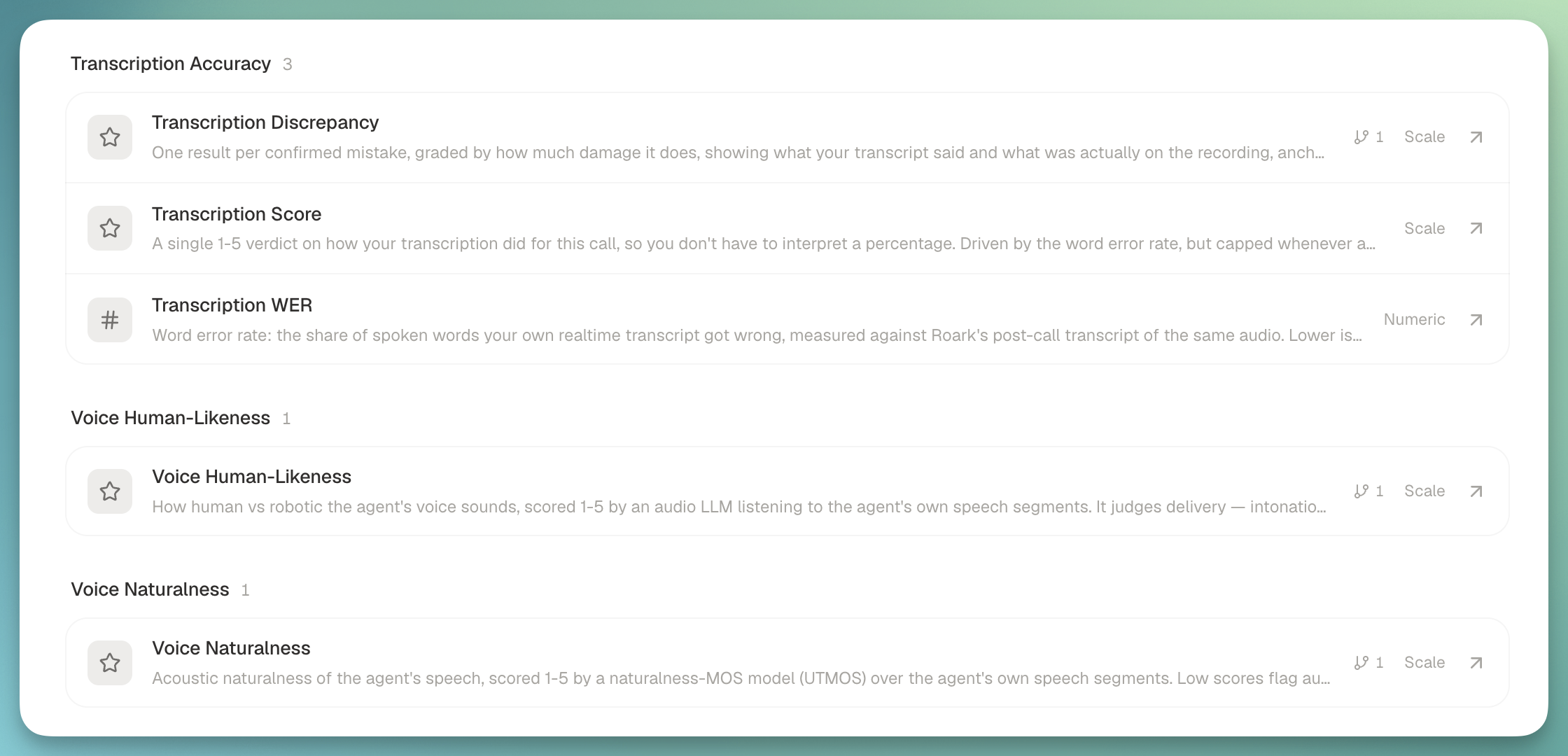
We shipped three system metric packages that grade parts of a call you couldn't easily grade before, plus a 1-5 Transcription Score that rolls the accuracy family up into a single verdict.

New metrics packages surfaced on a call

What each package does:

  • Property verification: compares the call properties you send us (account IDs, names, dates, CRM context) against what was actually said on the call, then flags mismatches anchored to the turn where they diverged. Nicknames, partial references, and phonetic near-misses are normalized before comparison, so it doesn't fire on "Robert vs Bob".
  • Call screening: detects when a receptionist or automated screen picks up an outbound call instead of the person being called, then scores the agent's handling of that interrogation on a 1-5 scale. Ships with an optional brief for what the agent should say when asked who's calling and why.
  • Transcription accuracy: grades your customer-supplied realtime transcript against ours, adjudicates every disagreement with an LLM (so we don't flag a case where our post-call transcript was the wrong one), and reports the specific words the transcriber got wrong, split into critical (numbers, names, negations, dates) and non-critical errors.
  • Transcription Score: a 1-5 rollup over the accuracy metrics with critical errors as a ceiling, not a weighted term. A call with 0.98 accuracy that got a callback number wrong still can't read as Excellent.

04

📞 Voicemail testing as a run template

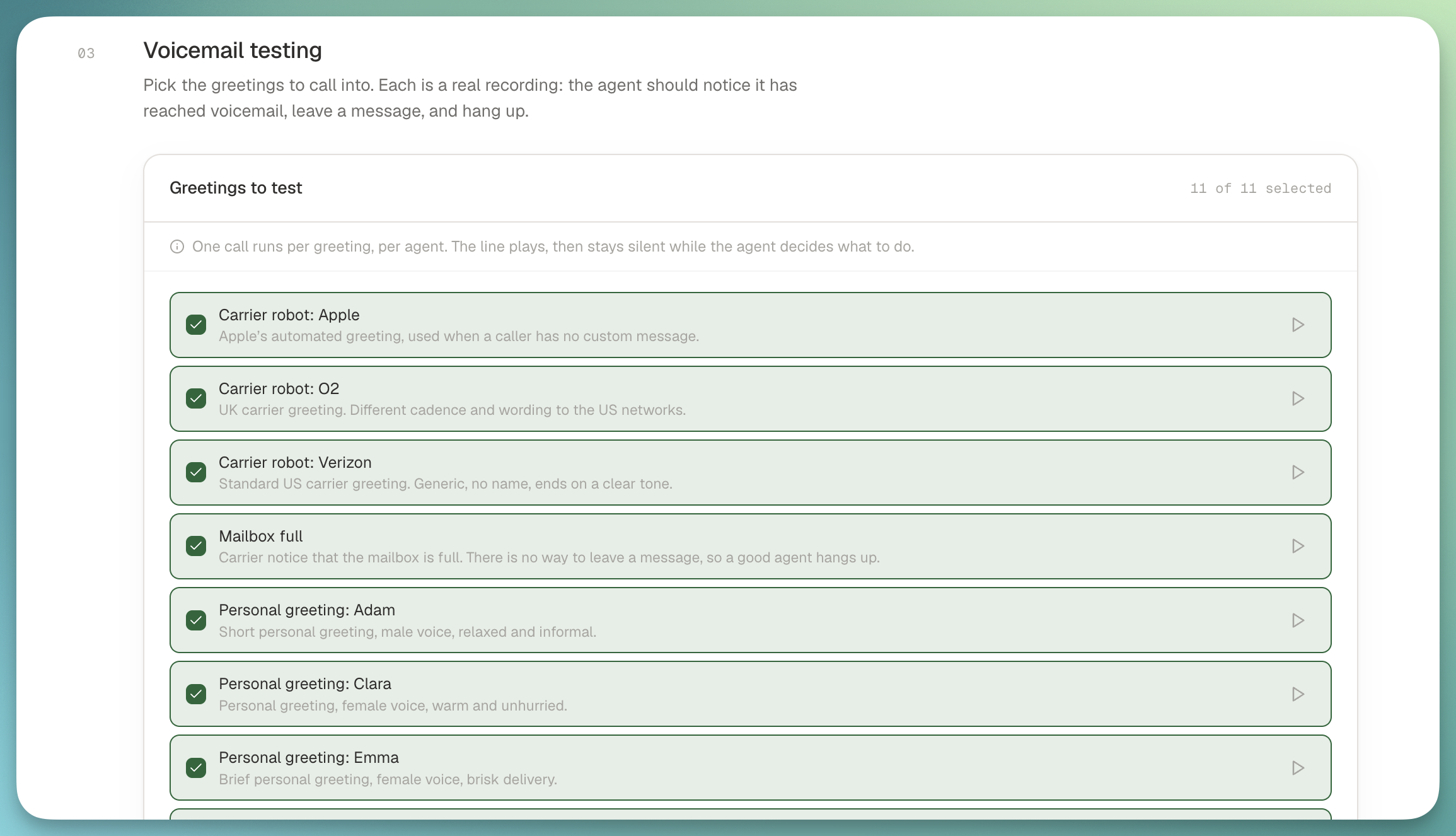
Voicemail simulations no longer live as nodes inside a scripted flow. They're a first-class run template now: pick the Voicemail testing template, tick which greetings you want to test, run.

Voicemail testing template

Why we moved it:

  • Eleven greetings out of the box covering the major US carriers and generic voicemail patterns. Multi-select as many as you want per run.
  • The old flow-node path silently ran the default carrier greeting regardless of what you configured, on every voicemail step. That's fixed under the new template.
  • Existing flows keep working if you have voicemail nodes in production, but new voicemail runs should come through the template.
  • Variable interpolation in the expected-message script so a single template can grade dozens of variants.

👉 Read the guide


05

🗄️ Data controls: retention windows and agent deletion

Two things customers asked for by name: configurable retention on your call data, and a real delete for agents.

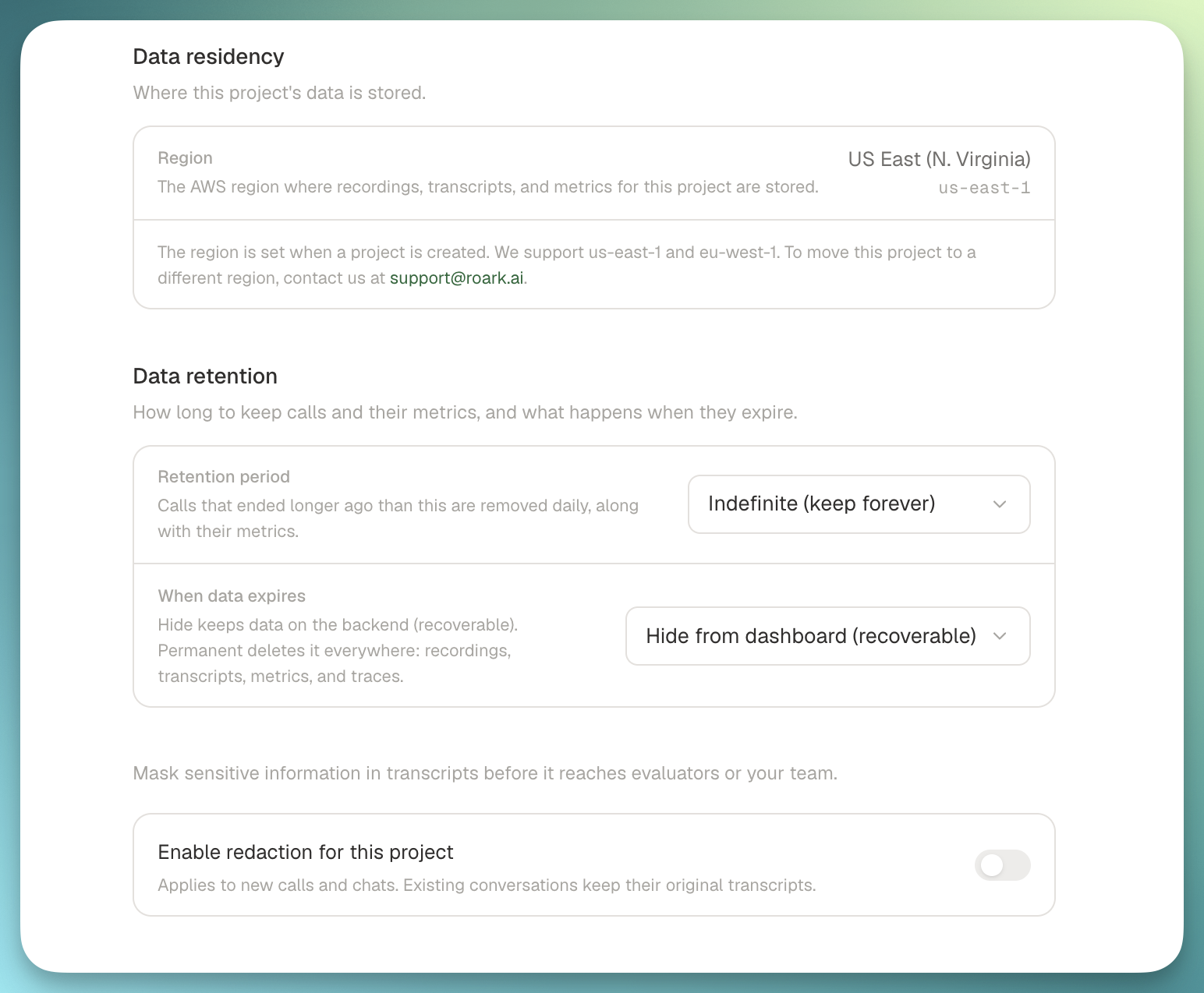
Data controls settings for retention and agent deletion

What's new:

  • Retention windows per project (60 days, 3 months, 6 months, 1 year, or indefinite) in a new Data controls settings tab. Default is indefinite, so nothing changes on your projects until you opt in.
  • Soft or hard delete mode. Soft hides the calls, metrics, and traces from the dashboard and is recoverable. Hard permanently purges the underlying records after a 7-day grace period.
  • Delete an agent from the platform UI or via DELETE /v1/agent/:agentId. Soft-deleted agents stop accepting new calls immediately across LiveKit and Pipecat, so a deleted agent can't quietly resurrect on the next inbound.

From

James