Nº 35

This week at Roark

August 17 to 23, 2026

This week was heads-down on two things: making alerts genuinely useful, and giving you a way to measure whether your agent actually uses the knowledge base you gave it. Both landed, and both are worth a closer look.


01

🚨 Alerts v2: WHEN / THEN, event triggers, webhook actions, full fire history

Alerts got a full rebuild around a first-principles model: WHEN [trigger] THEN [action]. Metric thresholds and platform events both flow through the same unified dialog, and every fire is now traceable end to end.
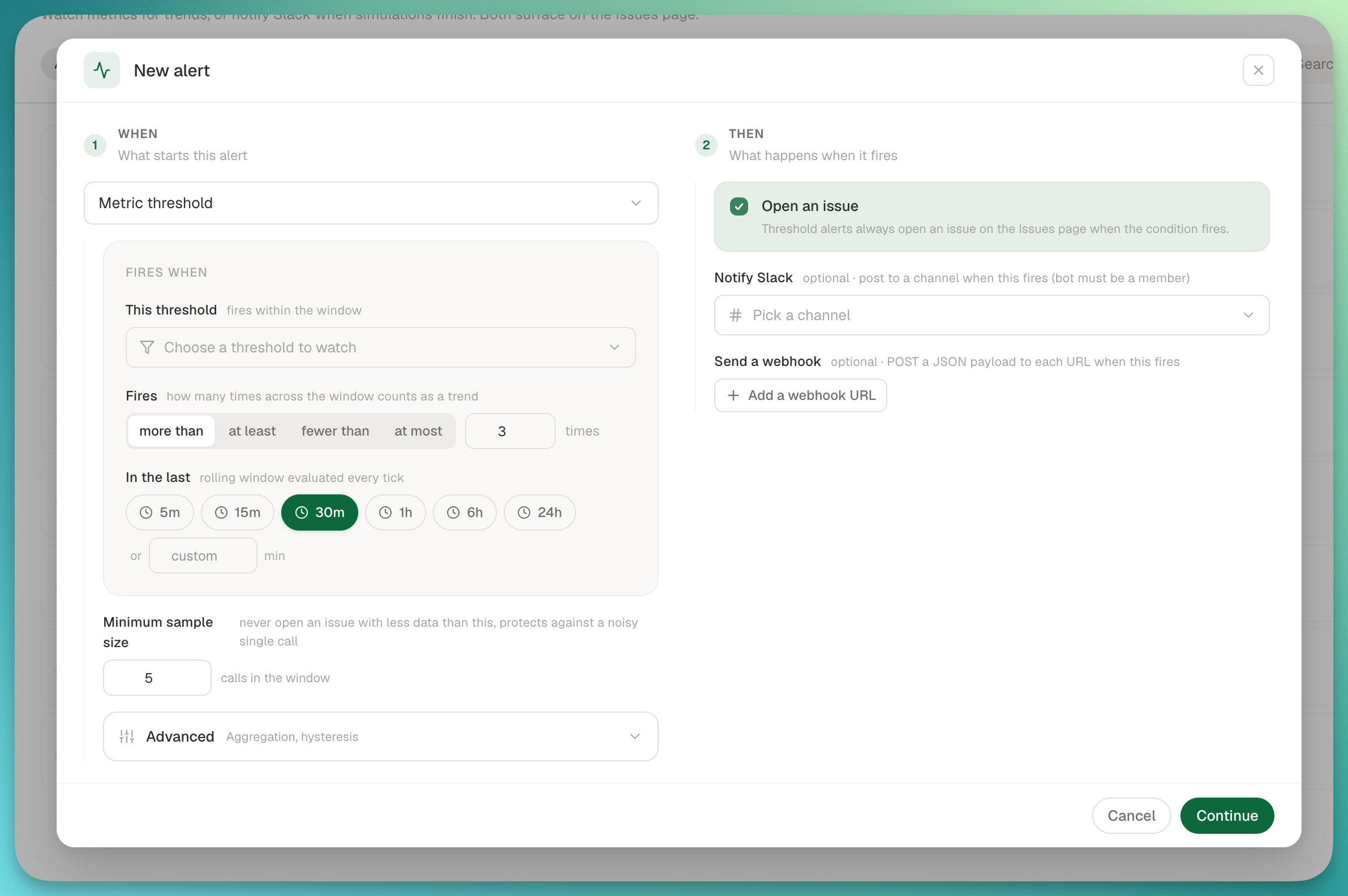
Unified WHEN / THEN alert dialog with event trigger and webhook action

What's new:

  • Event triggers: subscribe an alert to the full platform event catalog (Calls, Evaluations, Simulations, Metrics, Chats, Issues) with human labels and multi-select.
  • Webhook actions: add one or more HTTPS URLs to any threshold or event alert. Deliveries go through the same pipeline as customer webhooks, with SSRF protection.
  • Alert detail page: every alert now has its own page with config, a "Recent fires" timeline showing per-action outcomes (Slack N/M, webhook status, issue opened), and a "Recent deliveries" list with expandable payloads and responses, filterable by status.
  • Slack channel picker on trend alerts, plus batched notification-channel loading so the alerts list stays fast.
02

📚 Knowledge Base Grounding, as three system metrics

If you've attached a knowledge base to your project, you can now measure whether your agent is actually using it correctly, with no per-metric setup and no hand-built variant. Add the Knowledge Base Grounding package to any run, policy, or dashboard, and you get three metrics from one LLM pass.

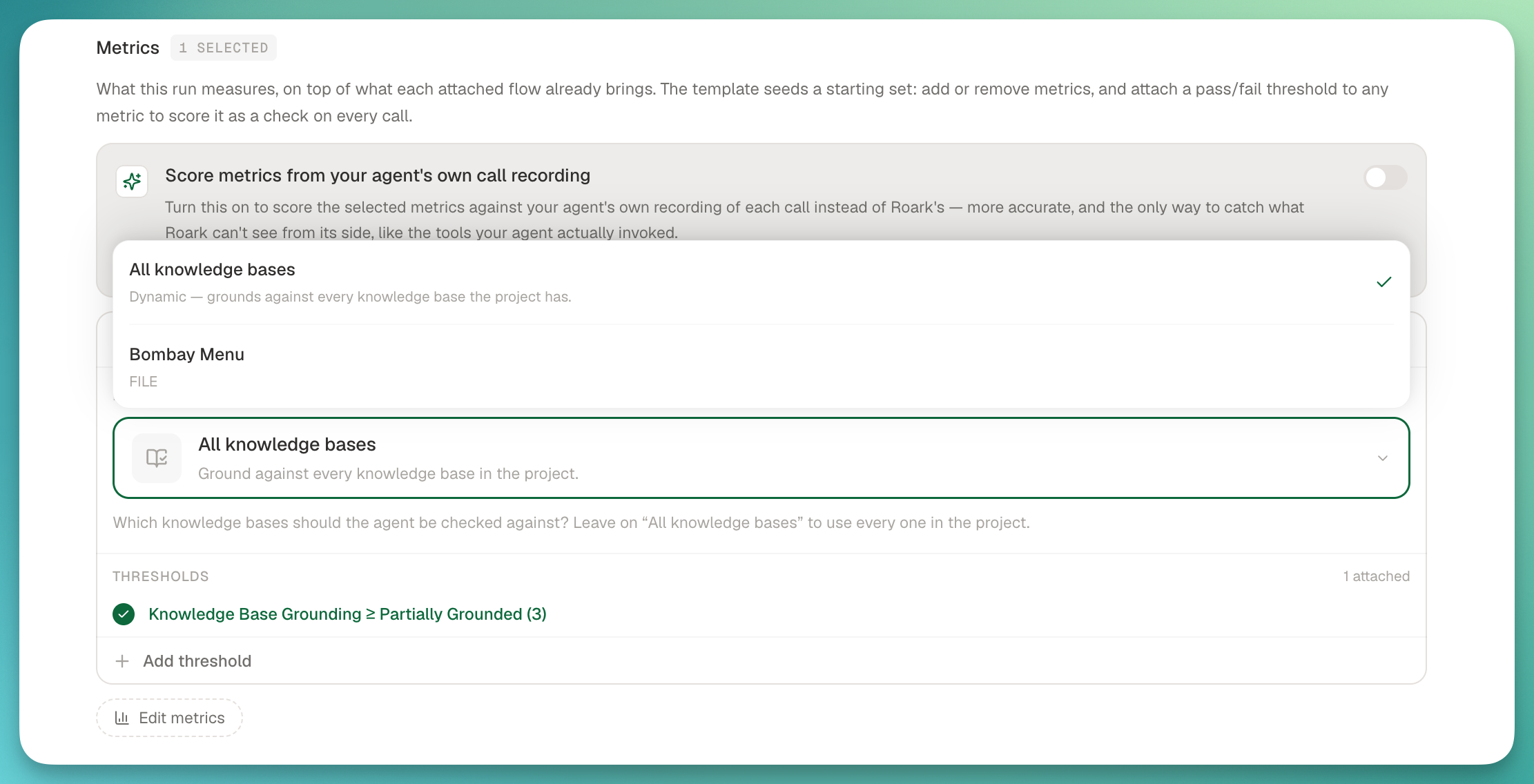
Knowledge Base Grounding metrics with per-KB scoping in Studio

The three metrics:

  • Knowledge Base Grounding (1 to 5): how faithful the agent's factual claims and offers are to your KB. Ships with a >= 3 system threshold.
  • Ungrounded Claim (per turn): every agent turn that stated or offered something the KB doesn't support, classified as CONTRADICTS (the KB says otherwise) vs NOT_IN_KB (the KB is silent).
  • Missed Answer (per turn): the inverse. Flags when the caller asked something the KB could answer but the agent deflected, said "I don't know", or answered wrongly.

Scope it at run time: in Studio Evaluate mode, pick specific KB documents to ground against, or leave it on "All knowledge bases" to auto-source every READY KB in the project.

From

James