Skip to content

Nº 36

This week at Roark

August 24 to 30, 2026

This week was about handing you more of the controls: your config, your CLI, and clearer answers on every simulation run. Six things landed that I want to walk you through.


01

⚙️ Config as Code

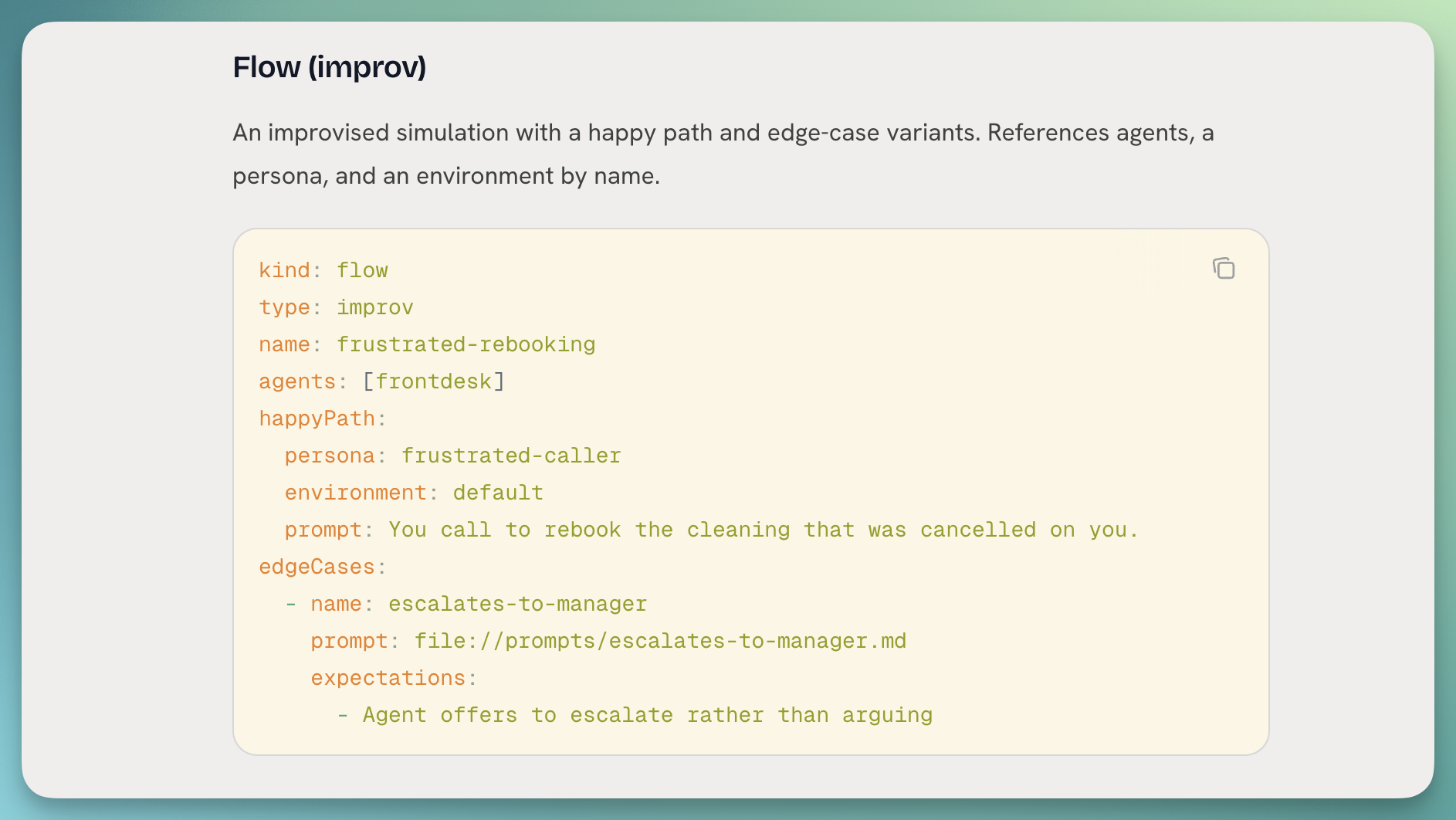
Your flows, metrics, personas, and thresholds can now live as YAML in a directory you own, versioned in git and reconciled against Roark with a single command.
Config as code diff preview in the terminal

What you can do:

  • Author locally: keep every flow, metric, persona, and threshold as YAML alongside your agent code, with file:// inlining for prompts so the long strings stay readable.
  • Preview before you push: roark config diff ./roark shows a + ~ - summary of what would change, no writes, safe to run in a PR check.
  • Apply with a confirmation: roark config apply ./roark runs the diff, prints the change set, and asks before it writes. --yes skips the prompt for CI.
  • Prune by default: anything in Roark that isn't in your bundle gets removed, so your repo is the source of truth. --no-prune opts out.
  • JSON output: pipe either command into your own tooling with --json.
👉 Read the config-as-code guide


02

⌨️ The Roark CLI

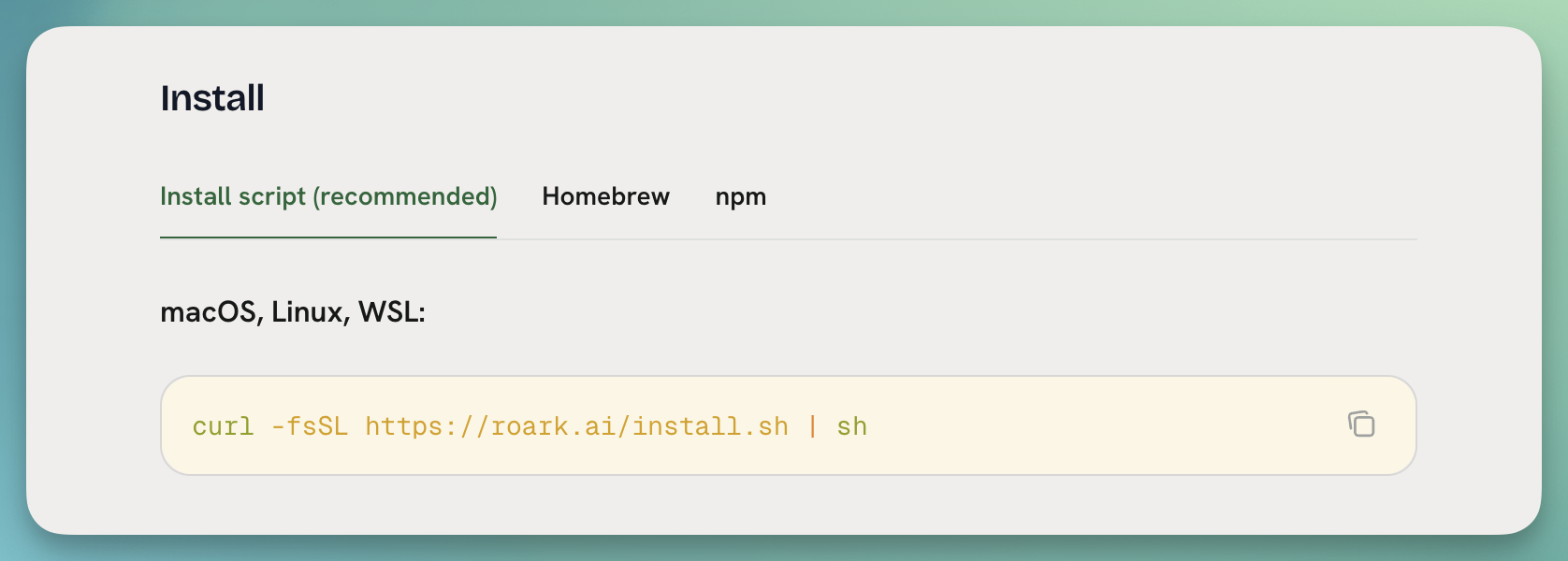
The Roark command line interface is now a first-class thing you can install in one line and drive your whole config-as-code loop from.

Installing the Roark CLI

What's new:

  • One-line install: curl -fsSL https://roark.ai/install.sh | sh, plus Homebrew and npm paths if you prefer them.
  • roark config diff and roark config apply: point them at a directory of flows, metrics, and personas to preview and push changes.
  • roark api for anything else: call any endpoint that doesn't have a generated command yet, with shell completion and a real exit code table.
  • Docs page live: install, auth, usage, and CI recipes are all documented.

👉 Read the CLI guide


03

🧾 Simulation Executive Summary

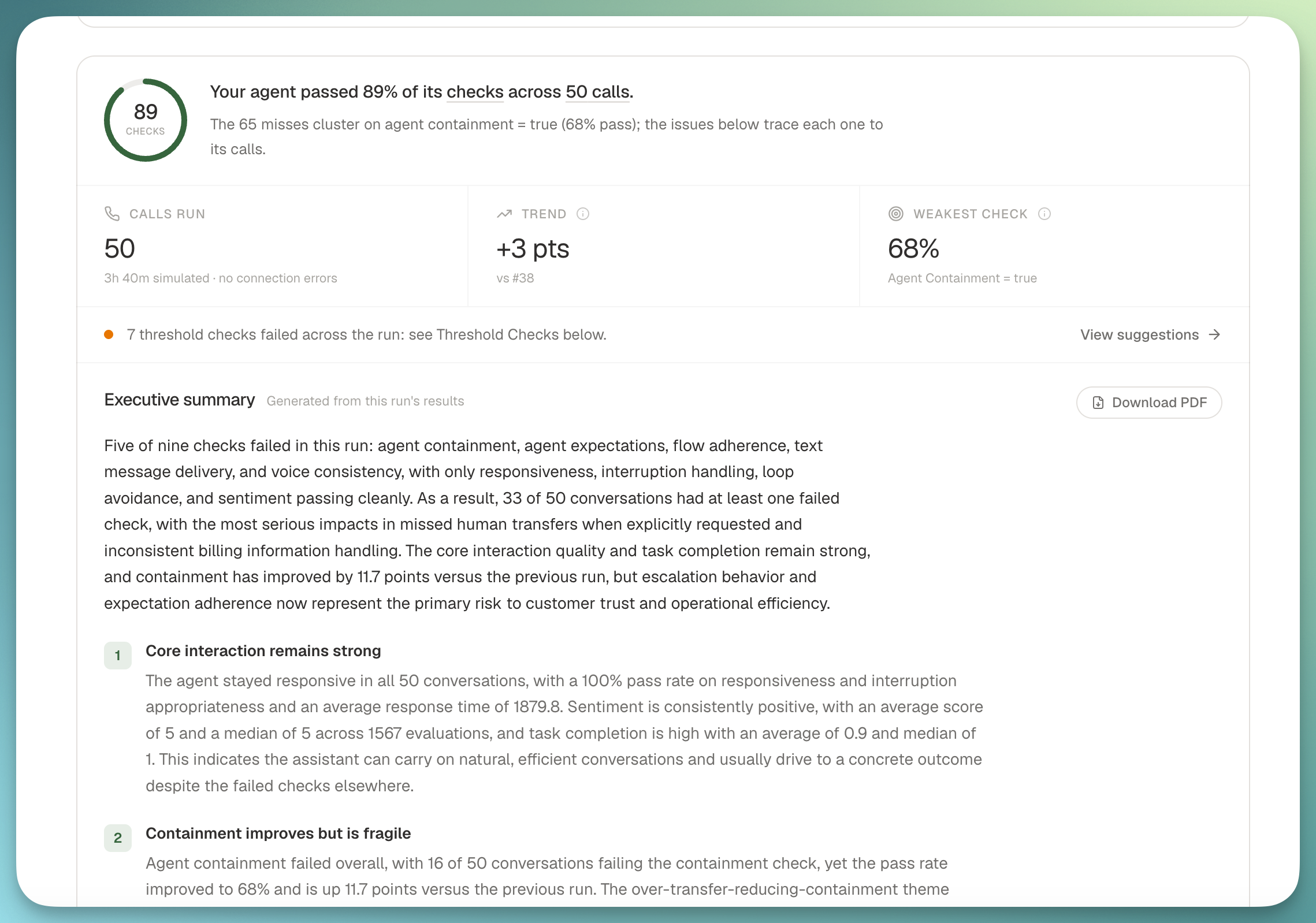
Every simulation run now generates its own executive report the moment it settles, so you can hand a stakeholder one link instead of a spreadsheet.

Simulation executive summary at the top of a run report

The summary lives at the top of the run report and includes the verdict, a scorecard, what went well, clustered failure themes with verbatim transcript excerpts, prompt-optimizer recommendations, and a trend against the previous run.

What you get:

  • Auto-generated on completion: scheduled and ad-hoc runs both produce a summary without you clicking a button.
  • Cued deep-links: every finding jumps to the exact metric pane and cues the affected calls to the moment that decided the verdict.
  • PDF export and share link: ship the report to anyone, no login required.
  • Email when it's ready: the requester gets a mail the moment the summary lands.
  • Free: the summary passes are on us, not metered against your credit.

04

📊 New metrics: Voice Consistency, Task Completion, Agent Containment, Human Transfer

We shipped four system metrics you can turn on today, aimed at the questions we hear most often from voice teams.

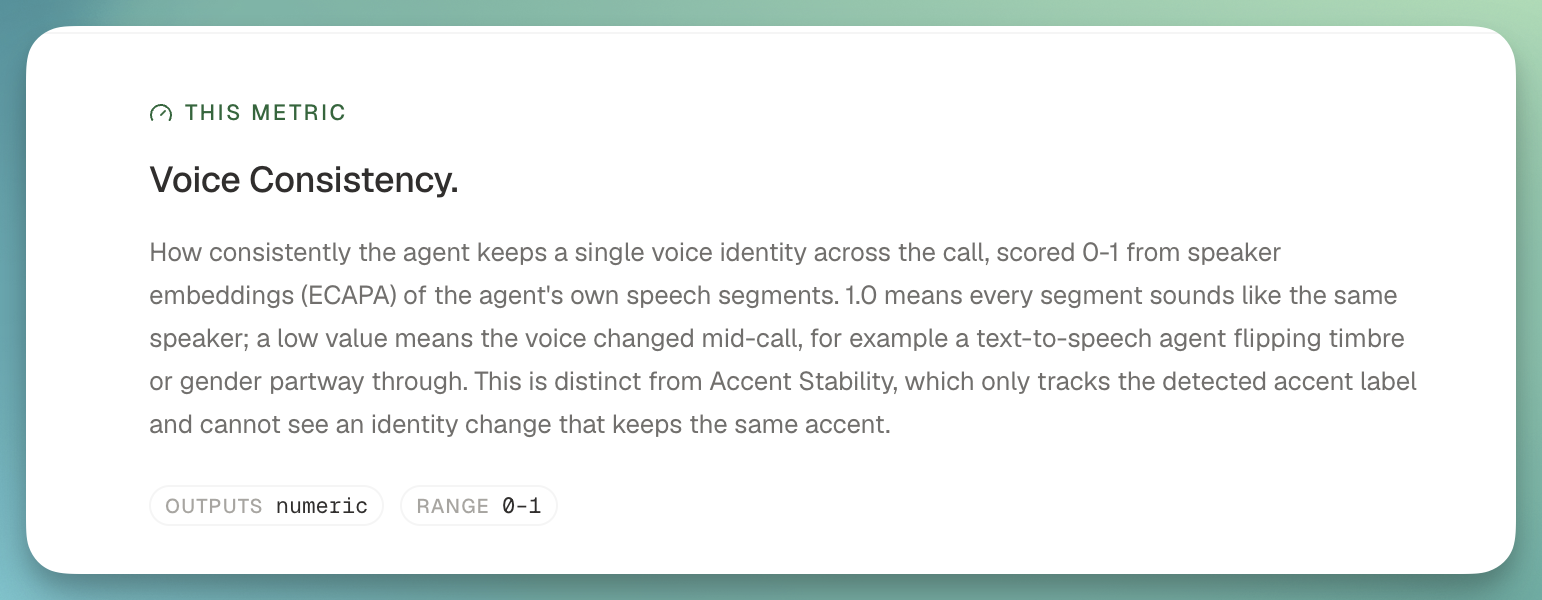
New system metrics on a call report

What landed:

  • Voice Consistency: catches when a speech-to-speech agent's voice identity flips mid-call (timbre or gender), backed by a new speaker embedding model. Scored per segment so you can pinpoint exactly where it happened.
  • Task Completion: did the agent actually finish what the caller asked for, with a matching completion-rate threshold.
  • Agent Containment: what share of calls the agent handled end-to-end without a human transfer.
  • Human Transfer: a full package covering when and why transfers happen, plus a discovered-classification metric that clusters the reasons from your own transcripts rather than a fixed enum.

05

🧒 Personas that sound like your callers

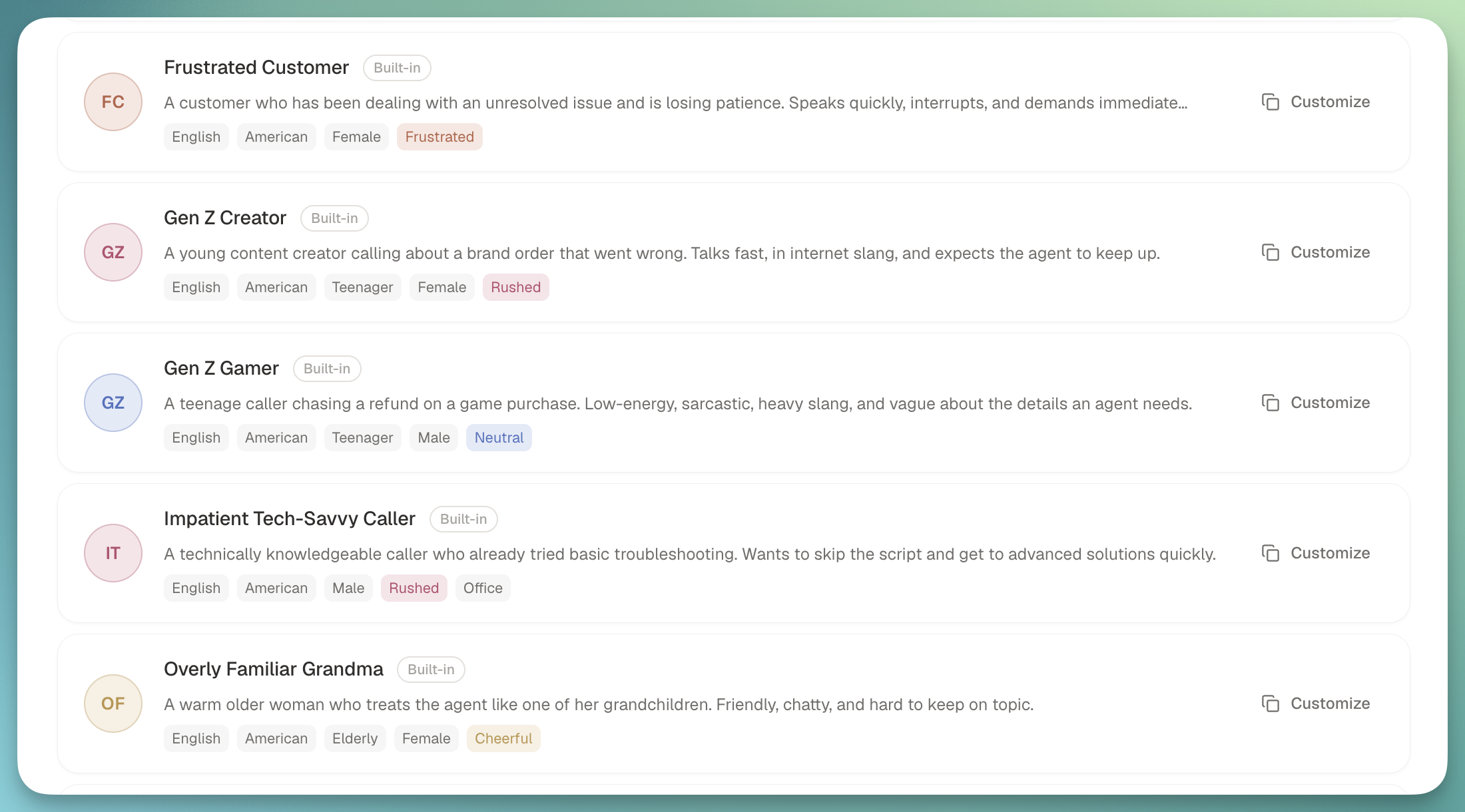
Personas got a big upgrade: age is now a first-class dimension, we shipped built-ins across the range, and every persona can carry emotion into the audio itself.

Simulation personas list

What's new:

  • Age as a dimension: child, teenager, adult, and elderly, with voice casting to match.
  • Six new built-in personas: Gen Z creator and gamer, a tech-illiterate grandpa on a landline, an overly familiar grandma, and two child accidental callers that a well-behaved agent should refuse to transact with.
  • Emotion in the audio: personas now speak with ElevenLabs v3 audio tags, so frustration and warmth land in the voice rather than sitting in a metadata field.
  • Accent flags on runs: call rows and debrief chips call out when a persona's accent may have driven the outcome.
  • Custom properties everywhere: the properties you attach to a persona show up (and are editable) wherever the persona appears.

06

🗂️ Folders and drag to reorder

Customer flows and dashboards both got easier to organize this week.

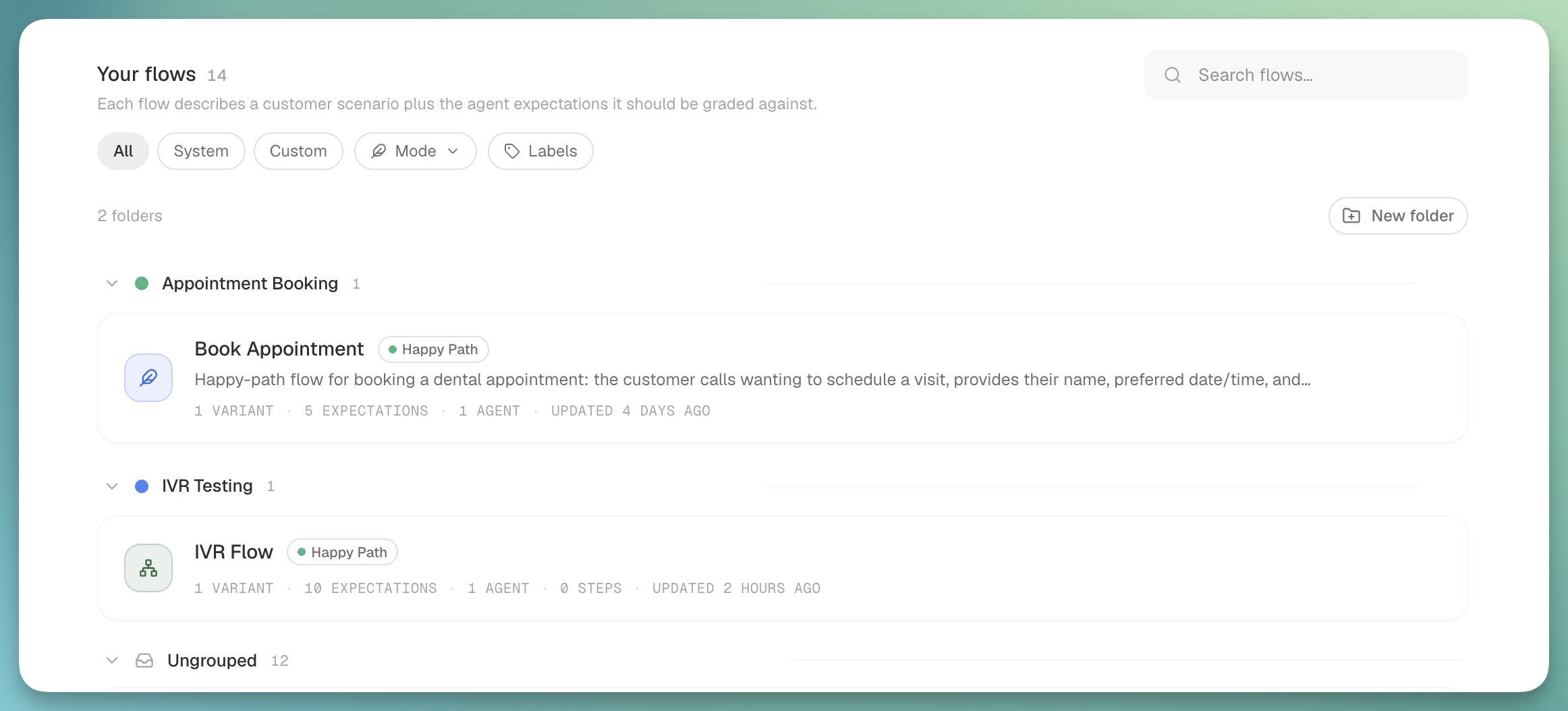
Customer flows grouped into folders

What's new:

  • Folders for customer flows: group related flows into named, colored buckets ("Verizon failure modes", "Auth edge cases") with the grouped view on by default.
  • Drag to reorder flows: move flows within a folder, or across folders, without opening a menu.
  • Drag to reorder report cards: dashboards let you rearrange cards the same way.

From

James